Key takeaways
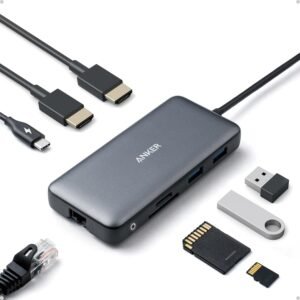
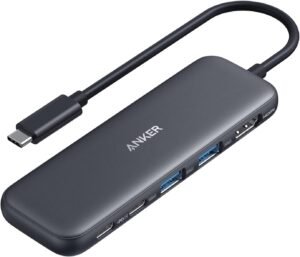
- 5-in-1 port mix: 1× HDMI, 1× USB-C 5Gbps data, 2× USB-A 3.0 5Gbps, and 1× USB-C PD-IN (power only)
- HDMI: supports a single external display up to 4K at 30Hz (not high refresh)
- Speed: fast accessory and storage transfers up to 5Gbps across the USB-C data and USB-A ports
- Pass-through charging: works best with higher-wattage USB-C PD chargers; heavy CPU/GPU loads may still drain battery
- Compatibility: targets macOS (12+), Windows 10/11, and supported ChromeOS systems; I don’t count on it for Linux

Anker USB C Hub, 5-in-1 USBC to HDMI Splitter with 4K Display
- 5-in-1 Connectivity: Equipped with a 4K HDMI port, a 5 Gbps USB-C data port, two 5 Gbps USB-A ports, and a USB C 100W PD-IN port. Note: The USB C 100W PD-IN port supports only charging and does not support data transfer devices such as headphones or speakers.
- Powerful Pass-Through Charging: Supports up to 85W pass-through charging so you can power up your laptop while you use the hub. Note: Pass-through charging requires a charger (not included). Note: To achieve full power for iPad, we recommend using a 45W wall charger.
- Transfer Files in Seconds: Move files to and from your laptop at speeds of up to 5 Gbps via the USB-C and USB-A data ports. Note: The USB C 5Gbps Data port does not support video output.
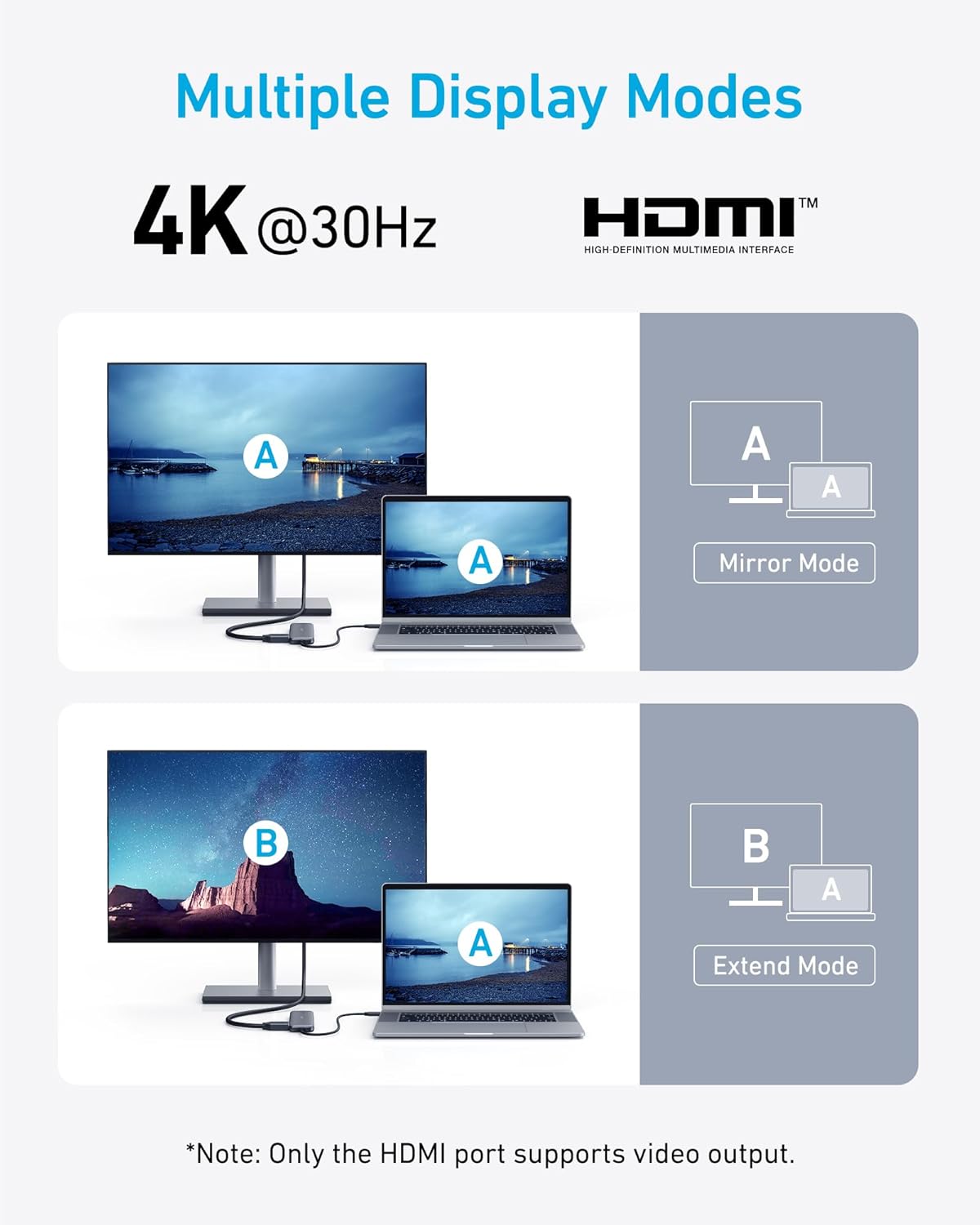
- HD Display: Connect to the HDMI port to stream or mirror content to an external monitor in resolutions of up to 4K@30Hz. Note: The USB-C ports do not support video output.
- What You Get: Anker 332 USB-C Hub (5-in-1), welcome guide, our worry-free 18-month warranty, and friendly customer service.
Everyday 5-in-1 USB-C Expansion
I like this Anker 5-in-1 USB-C hub because it keeps daily carry simple while covering the ports I actually use. HDMI handles a 4K@30Hz display for presentations or a desk monitor. Data stays fast with a USB‑C data port plus two USB‑A 3.0 ports, each up to 5 Gbps.How I use the ports day to day
I set it up like this:- HDMI for a single external display at 4K@30Hz
- USB‑C data for an SSD or card reader (up to 5 Gbps)
- Two USB‑A 3.0 ports for mouse, keyboard, or flash drives (up to 5 Gbps)
- USB‑C PD-IN for pass-through power up to 100W input, charging-only
 This image is property of Amazon.com.
Pass-Through Charging (With Key Limits)
I use the Anker USB-C Hub’s USB-C PD-IN port to keep my laptop powered while I run displays, storage, and peripherals through the other ports. In many everyday setups, it can pass through up to 85W to the laptop (charger not included). That’s enough for a lot of ultrabooks and many 13–14″ machines, though heavy CPU/GPU loads can still outpace what the system draws.What I do to avoid common mistakes
A few practical rules keep pass-through charging predictable in real use:- I treat the USB-C PD-IN port as power-only. It won’t work for data devices like headphones, speakers, or SSDs.
- I bring a higher-wattage USB-C PD wall charger when I want stable charging while multitasking, since the hub and accessories also consume some power.
- I follow Anker’s recommendation for iPad: I use a 45W wall charger to reach full power behavior instead of slow charging or battery drain during heavy use.
- I sanity-check my charger and cable specs before blaming the hub. If I need a refresher, I reference how to read the fine print.
 This image is property of Amazon.com.
5 Gbps Data Transfers for Accessories
How I use the 5 Gbps ports day to day
I rely on the hub’s USB-C data port and USB-A ports for up to 5 Gbps transfers, which keeps accessory work snappy without fuss. File moves to a flash drive finish fast enough for photo dumps, document backups, and installer folders. Keyboards, mice, webcams, and audio interfaces also behave predictably, since these ports keep bandwidth available for general peripherals.I keep a few ground rules in mind:- I plug storage into the 5 Gbps ports for quicker copies.
- I reserve these ports for accessories, not displays.
- I remember the USB-C data port doesn’t output video.
 This image is property of Amazon.com.
4K HDMI Display Output (No High Refresh)
I treat the hub’s HDMI port as the dedicated path for an external monitor. It pushes up to 4K at 30Hz, which fits streaming, presentations, document work, and mirroring a laptop screen without fuss. Motion won’t look as smooth as 60Hz, so I don’t use it for competitive gaming or fast-scrolling workflows.I also keep expectations clear on port roles. The USB-C ports handle data and charging, but they don’t output video. HDMI stays the only display option, so I plan my desk setup around that single connection.Practical setup notes I follow
Here’s how I keep results consistent day to day:- I set the display to 4K@30Hz for sharp text, then drop to 1080p if I want smoother movement.
- I use a quality HDMI cable to reduce flicker or handshake issues.
- I connect the hub before launching streaming or meeting apps so the display mode locks in cleanly.
- I pair the hub with dependable power if I’m also running peripherals; power bank fine print helps me choose.
 This image is property of Amazon.com.
Compact, Travel-Friendly Build
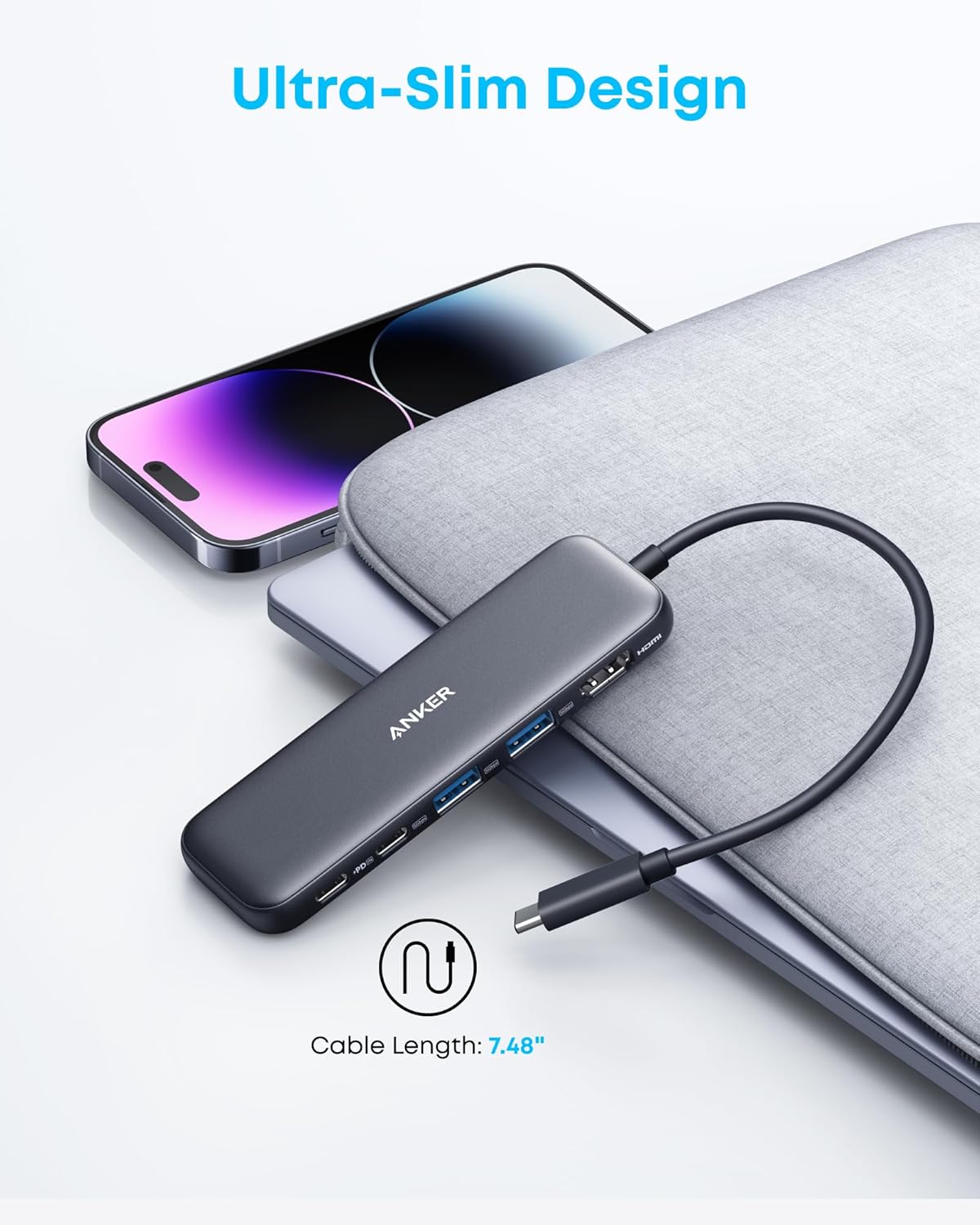
I like how this hub stays out of the way in a sleeve or tech pouch. The aluminum enclosure with a black finish feels premium, and it resists the scuffs that show up fast in a daily bag. Its footprint also fits well beside a charger and cable kit without turning my carry-on into a brick.Portability details I count on
Here’s what makes it easy to pack and easy to live with:- Measures about 4.78″ x 1.59″ x 0.45″, so it slips next to my laptop without bulging the sleeve.
- Weighs approximately 0.09 lb, so I don’t feel it in a minimalist kit.
- Pairs nicely with a travel power setup; I often reference power bank fine print to keep everything efficient.
 This image is property of Amazon.com.
Compatibility (Not for Linux)
I use this hub with USB-C laptops that support USB-C, USB4, or Thunderbolt, since the connection standard directly affects video output and charging behavior. I stick to systems that handle DP Alt Mode for display and Power Delivery for pass-through charging, which keeps setups predictable and fast.What works (and what doesn’t)
Before I plug in, I check OS support and the laptop’s USB-C feature set:- macOS: Works on macOS 12 and newer, which makes it a clean match for modern MacBooks.
- Windows: Runs well on Windows 10 and Windows 11 for docks, monitors, and peripherals.
- ChromeOS: Works if the Chromebook’s USB-C port supports DP Alt Mode + Power Delivery.
- Linux: Not compatible, so I won’t plan a Linux workstation around it.
User Feedback and Common Drawbacks
Real-world comments line up with a 4.4-star average rating. I see consistent praise for reliability in day-to-day use, quick setup, and solid value. MacBook owners call out the biggest win: a single hub that makes a thin laptop feel like a full desktop setup, especially for displays, storage, and peripherals. I also like how often users mention “plug in and go” behavior, which matters when I’m swapping between home and office.What users praise (and what can bite)
A few themes show up repeatedly in reviews, and I treat them as a checklist before buying:- Reliable basics: ports work as expected, and setup stays simple.
- MacBook versatility: expands I/O fast without carrying multiple adapters.
- Value: users feel the feature set matches the price.
- Connectivity stability: some report occasional disconnects, often with specific cables, higher-bandwidth devices, or loose USB-C ports.
- Charging consistency: mixed results, since some laptops won’t take steady power through the hub under heavy load.
Disclosure: As an Amazon Associate, I earn from qualifying purchases.
Some of the links in this article are "affiliate links", a link with a special tracking code. This means if you click on an affiliate link and purchase the item, we will receive an affiliate commission.The item's price is the same whether or not there is an affiliate link. Regardless, we only recommend products or services we believe will add value to our readers.By using our affiliate links, you help support our Website, and we genuinely appreciate it.

From San Jose, California. Former IT support lead who has seen unspeakable things plugged into USB ports. Reviews electronics with zero patience for bad firmware.