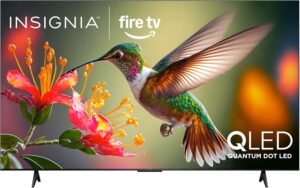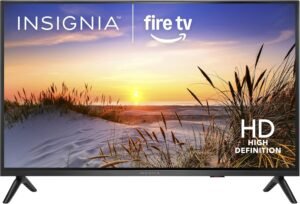
The INSIGNIA 32" Class F20 Series LED HD Smart Fire TV works well as a low-cost 32-inch 720p set, and it comes across as a dependable pick for streaming, news, kids’ shows, and light gaming.
Overview
You get a 32-inch, 720p LED panel aimed at straightforward everyday viewing, with a 60 Hz feel that stays steady for normal motion and simple sports. Day-one use is typically quick thanks to the Fire TV onboarding flow, and the included Alexa Voice Remote makes searching and switching inputs easier than basic button-only remotes. Built-in access to free and live TV adds extra value alongside the major streaming apps.
Key takeaways
- Picture and motion: 32-inch 720p LED display delivers a clean picture for daily viewing, and 60 Hz playback stays steady for casual gaming and sports.
- Setup: Simple setup flow—plug it in, connect Wi‑Fi, sign into Amazon, and the Fire TV interface handles apps and basic configuration.
- Voice and control: Alexa Voice Remote supports cross-app search, playback control, and voice-based input switching (streaming, console, antenna).
- Audio: DTS Virtual-X can add a wider sense of space, but a soundbar is a good upgrade for fuller bass and more consistent dialog.
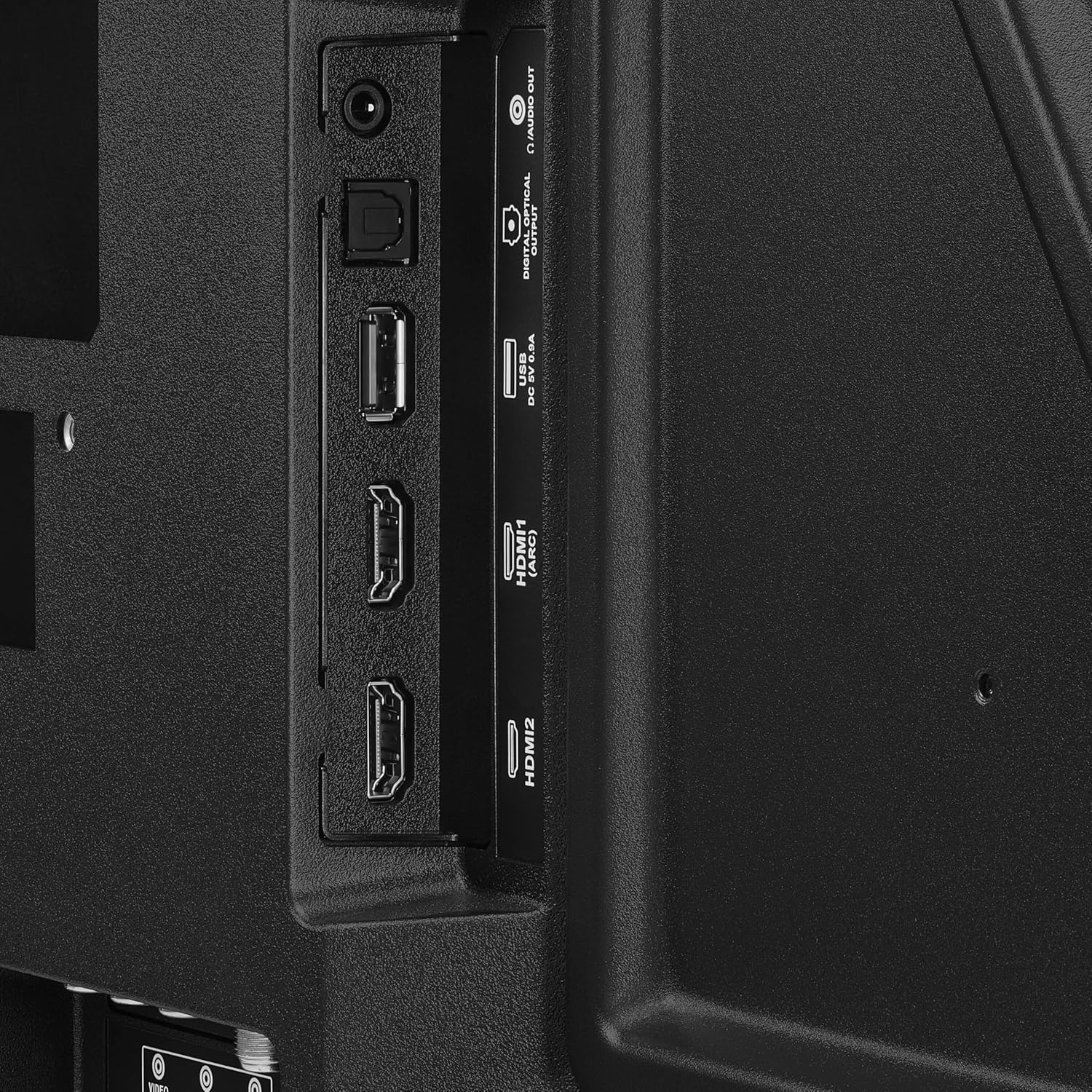
- Connectivity and households: Practical ports for small rooms—2 HDMI (with ARC), optical out, composite AV, coax for antenna/cable, USB, and a headphone jack, plus PIN-based parental controls.
Crisp 32-inch HD Picture and Easy Setup
I like how a 32-inch LED panel at 720p keeps streaming, news, and kids’ shows looking clean without demanding a big budget. The 60 Hz refresh rate feels steady for everyday viewing and casual gaming, so menus stay readable and fast motion looks controlled.
Setup stays simple. I plug it in, connect Wi‑Fi, sign into Amazon, and Fire TV does the rest. Anyone who already enjoys the Fire TV layout will feel at home right away, since the home screen, app installs, and voice features follow the same logic as Fire TV streaming devices. If I want a faster add-on for other TVs, I pair the experience with a Fire TV Stick 4K Plus.
My quick setup and value tips
Here’s what I do to get the best day-one experience:
- Run the picture presets first, then fine-tune brightness to match the room.
- Turn on any dialogue or volume leveling modes for late-night viewing.
- Use an Ethernet adapter or a stronger Wi‑Fi spot if streams buffer.
- If I want a bigger step up later, I look at this Fire TV 32-inch option for a similar footprint.
Value stands out. I treat it as an affordable, good-quality Fire TV for bedrooms, dorms, or kitchens where quick setup matters.
Check current pricing and availability at Amazon here!
INSIGNIA 32″ Class F20 Series LED HD Smart Fire TV, Voice Remote with Alexa, Free & Live TV

This image is property of Amazon.com.
Alexa Voice Remote and Fire TV Streaming
I use the included Alexa Voice Remote to run the TV without hunting through menus. Voice control handles cross-app search, opens specific apps, starts shows, and keeps playback tight with simple commands like play, pause, fast-forward, and subtitles. I can also switch inputs by voice, which speeds up jumping from streaming to a console or antenna.
What I can do faster with voice + Fire TV
Here’s where the combo saves time day to day:
- Search across apps with one request instead of repeating it in each service.
- Launch Prime Video, Netflix, Hulu, Max, YouTube, Apple TV+, Disney+, ESPN+, Sling TV, or Paramount+ right from the remote.
- Control playback cleanly during sports and live shows.
- Use Fire TV’s content library of 1.5 million+ movies and TV episodes for quick pick-up viewing.
Fire TV also scales well across setups. I like pairing a compact set like the Insignia 24-inch Fire TV in a bedroom and stepping up to a big-screen option like the Insignia 75-inch QLED Fire TV for the main room. If I want Fire TV on another display, I add the Fire TV Stick 4K Plus or go premium with the Fire TV Cube.
Check current pricing and availability at Amazon here!
INSIGNIA 32″ Class F20 Series LED HD Smart Fire TV, Voice Remote with Alexa, Free & Live TV

This image is property of Amazon.com.
Audio Performance: Immersive Features, Mixed Feedback
DTS Virtual-X support gives me a wider, more spacious presentation than basic stereo, even from built-in TV speakers. I hear clearer placement in movies and games, and dialog often stays anchored to the screen. That said, built-in speakers still face physical limits, so I treat DTS Virtual-X as a helpful processing layer, not a replacement for real speaker separation.
How I’d Set It Up for Consistent Sound
To keep the experience immersive without surprises, I rely on a few practical habits:
- I start with the TV’s Movie/Cinema audio mode, then lower any aggressive volume leveling if effects feel jumpy.
- I keep bass boosts conservative, since small drivers can distort or sound harsh at higher volumes.
- I pair the set with a soundbar when I want stable output and deeper low end; it’s the easiest upgrade for mixed customer feedback about loud noises.
- I use external streaming hardware if I want faster audio controls, like Fire TV Cube hands-free control or a Fire TV Stick 4K Plus.
If I’m building a larger setup, I match screen size with better audio expectations, such as the Insignia 55-inch Fire TV or Insignia 75-inch QLED Fire TV, then let a soundbar do the heavy lifting.
Check current pricing and availability at Amazon here!
INSIGNIA 32″ Class F20 Series LED HD Smart Fire TV, Voice Remote with Alexa, Free & Live TV

This image is property of Amazon.com.
Connections and Extras for Small Spaces
Ports, audio shortcuts, and kid-safe controls
I like this TV’s connectivity mix because it covers both new gear and legacy devices without wasting space. Two HDMI ports handle a streamer and a console, while HDMI ARC keeps audio simple. I can run one cable from the TV to a compatible soundbar and control volume without juggling remotes. For older audio setups, the digital optical output stays a dependable fallback, especially when ARC isn’t available.
I also get practical inputs for “small space” use cases. Composite (AV) helps me keep an older DVD player or retro console alive. The coaxial input supports over-the-air antenna or cable feeds when streaming isn’t the whole plan. A USB port adds quick playback for photos or videos, and Wi‑Fi keeps apps and updates straightforward. If I need private listening in a dorm or bedroom, the headphone jack makes it easy.
Here’s how I’d put these extras to work fast:
- Use HDMI ARC first for soundbars; keep optical ready for older receivers.
- Reserve one HDMI for a premium add-on like the Fire TV Stick 4K Plus or the Fire TV Cube.
- Set parental controls with a PIN to limit purchases and lock mature apps.
- Wall-mount it to free up a desk, dresser, or kitchen counter.
Check current pricing and availability at Amazon here!
INSIGNIA 32″ Class F20 Series LED HD Smart Fire TV, Voice Remote with Alexa, Free & Live TV
This image is property of Amazon.com.
Color and Screen Consistency
Color performance lands as a pleasant surprise for a 720p panel. I see strong day-to-day clarity for news, sports, and cartoons, and the picture can look crisp once I keep Sharpness modest and set Color Temperature to “Warm” for natural skin tones. I also lean on a simple setup habit: I let the TV run for 10–15 minutes before judging color, since some panels stabilize after they warm up.
How I reduce odd color shifts
A few owners report sudden tint changes where the screen swings into odd hues. I treat that as a quality-variation risk and handle it with a quick checklist. I use these steps to confirm whether it’s settings, the HDMI chain, or the panel:
- Switch Picture Mode to a neutral preset and disable any “dynamic” contrast or vivid color boosts.
- Test a second source (antenna/app vs HDMI) to isolate device vs display behavior.
- Swap HDMI cable and port, then power-cycle TV and streamer.
- Run the same content on a known-stable device like a Fire TV Stick 4K Plus or Fire TV Cube to rule out signal quirks.
- If shifts persist across inputs, I document it with photos and request an exchange promptly.
Pairing it with a proven Fire TV set can also simplify troubleshooting, like the Fire TV 32″ 2-Series.
Check current pricing and availability at Amazon here!
INSIGNIA 32″ Class F20 Series LED HD Smart Fire TV, Voice Remote with Alexa, Free & Live TV

This image is property of Amazon.com.
Specs at a Glance
I like treating this 32-inch set as a straightforward, space-friendly screen that still covers the essentials. The 720p resolution pairs well with the smaller panel size, while the LED display keeps power use and heat modest. A 60 Hz refresh rate fits everyday streaming, news, and casual console play without fuss.
Key details I check before buying
Here’s the quick spec list I use to compare models fast:
- Screen size: 32 inches
- Resolution: 720p HD
- Panel/backlight: LED
- Refresh rate: 60 Hz
- Dimensions: 6.71"D x 28.31"W x 18.62"H
- Special feature: Apple AirPlay
- Packaging: sustainably sourced FSC-certified materials
AirPlay support matters when I want easy sharing from an iPhone, iPad, or Mac without juggling extra adapters. For shoppers who want a smaller Fire TV alternative, I also compare size classes like the Insignia 24-inch HD Fire TV or step up to the Fire TV 32-inch 2-Series for similar footprint shopping.
Check current pricing and availability at Amazon here!
INSIGNIA 32″ Class F20 Series LED HD Smart Fire TV, Voice Remote with Alexa, Free & Live TV

This image is property of Amazon.com.
Disclosure: As an Amazon Associate, I earn from qualifying purchases.

From San Jose, California. Former IT support lead who has seen unspeakable things plugged into USB ports. Reviews electronics with zero patience for bad firmware.