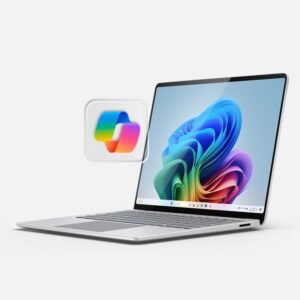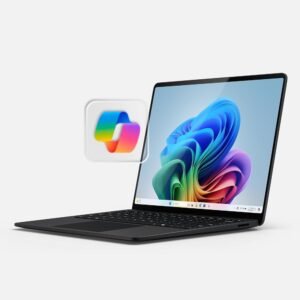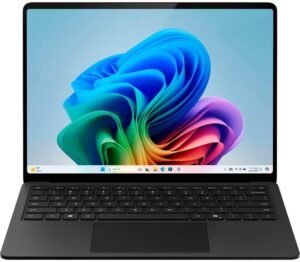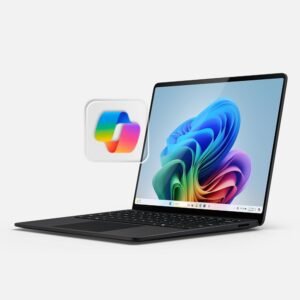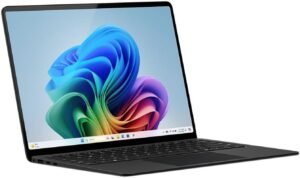
This 15-inch Microsoft Surface Laptop (2024) with Snapdragon X Elite (12-core), 32GB RAM, and a 1TB SSD sits in a strong overall position based on the sentiment and themes you’re seeing: mostly happy buyers (4.2/5 from 271 reviews), clear wins for “always ready” productivity and portability, and a few practical checks to make before you commit.
Key takeaways
- 4.2/5 from 271 reviews suggests reliably good day-to-day performance for productivity, web apps, streaming, and light creative work—best viewed as a strong mainstream choice (not a “niche experiment”).
- Snapdragon X Elite + 32GB RAM + 1TB SSD is a very “safe” high-end configuration for multitasking: expect fast launches, snappy search, and fewer slowdowns with lots of tabs, Office, and Teams-style mixed workloads.
- 15" PixelSense touchscreen (2496×1664, 120Hz, up to 600 nits) should feel sharp and responsive; the main tradeoff is the glossy finish, so reflections can be noticeable depending on lighting.
- Copilot+ PC meeting features like Windows Studio Effects and live captions/translation can add real value for video calls, but it’s still worth confirming what’s available now versus what’s tied to later updates (and regional rollout).
- ARM compatibility remains the biggest watch-out: older/specialty apps, niche utilities, peripheral drivers, certain virtualization tools, and some gaming setups are the most common friction points—so verifying your “must-haves” early is the smart move.
Smart checks before committing
- App compatibility: Install every mission-critical program on day one and verify performance and feature parity (especially anything involving plugins, legacy add-ins, or device management tools).
- Peripheral/driver compatibility: Connect every must-have device (docks, audio interfaces, printers, scanners, security keys, specialty mice/keyboards) and confirm stable drivers and expected features.
- Workflow stress test: Recreate your heaviest “real week” workload (tab count, Teams calls, external monitor, multitasking) during the return window to catch edge-case issues early.
- Copilot+ feature availability: Confirm which features are enabled on your exact build/region and whether any are still pending staged updates, so expectations match reality.
Overall Rating & Buyer Sentiment
Buyer sentiment lands in a solid mostly happy zone. This model holds a 4.2 out of 5 stars average based on 271 reviews, which signals dependable day-to-day performance for common workloads like productivity, web apps, streaming, and lighter creative tasks.
What buyers praise vs. complain about
Feedback clusters into a few repeat themes, and I use these to set expectations before purchase:
- Performance feels quick for everyday use, especially for multitasking with Office, browser tabs, and video calls.
- Battery life and standby behavior often earn positive notes for real travel and couch use.
- Build, screen, and keyboard get frequent approval, which matters for long typing sessions.
- Reliability complaints show up in a smaller slice of reviews, typically around hardware quirks or early defects.
- ARM software compatibility remains the main know before I buy issue, since some legacy apps, drivers, or niche utilities can still misbehave or run through emulation.
For buyers who live in Microsoft 365, Edge/Chrome, and mainstream apps, I’d expect satisfaction to match the average rating. For specialized software, verify ARM support first, then consider pairing it with a good productivity mouse like this ergonomic wireless mouse.
Check current pricing and availability at Amazon here!
Microsoft Surface Laptop (2024), Windows 11 Copilot+ PC, 15″ Touchscreen Display, Snapdragon X Elite (12 core), 32GB RAM, 1TB SSD Storage, Black

This image is property of Amazon.com.
Premium Build Quality
The Surface Laptop chassis feels solid in hand, and I notice it most when I pick it up one-handed or slip it into a bag. The aluminum build keeps flex in check, so the deck stays steady while I type. That stiffness also helps the laptop look clean over time, since the enclosure doesn’t ripple or creak when I move it around.
I also like that Microsoft mixes sustainability into the enclosure. The Surface Laptop includes recycled aluminum on select parts, so I get a premium feel without ignoring material impact. That’s a practical win if I refresh devices on a regular cycle and want my purchases to reflect better material choices.
What I look for in day-to-day use
Here’s where that solid chassis pays off for both casual and power users:
- Confident portability: the lid and base stay aligned, even with frequent open-and-close use.
- Stable typing: the keyboard area doesn’t sag, so long writing or coding sessions feel consistent.
- Cleaner longevity: aluminum resists the “cheap plastic shine” effect and keeps a premium look.
If I want to pair the laptop with a comfort-first pointer, I often point people to an ergonomic wireless mouse for a matching premium desk setup.
Check current pricing and availability at Amazon here!
Microsoft Surface Laptop (2024), Windows 11 Copilot+ PC, 15″ Touchscreen Display, Snapdragon X Elite (12 core), 32GB RAM, 1TB SSD Storage, Black

This image is property of Amazon.com.
15-inch PixelSense Display
I get a big, crisp canvas with the 15-inch PixelSense touchscreen at 2496 x 1664. Scrolling and inking feel immediate thanks to the 120 Hz refresh rate, and the panel can push up to 600 nits brightness for strong indoor visibility. I like the glossy finish for punchy contrast and clean text, yet reflections show up fast in bright offices or near windows.
How I set it up for real work
A few quick tweaks keep it comfortable:
- I bump brightness early, then lock it in to avoid constant flicker from auto changes.
- I angle the hinge to dodge overhead lights before I edit or present.
- I pair it with an ergonomic mouse when I’m doing long sessions.
Check current pricing and availability at Amazon here!
Microsoft Surface Laptop (2024), Windows 11 Copilot+ PC, 15″ Touchscreen Display, Snapdragon X Elite (12 core), 32GB RAM, 1TB SSD Storage, Black

This image is property of Amazon.com.
Performance: Snapdragon X Elite + 32GB/1TB
I get a snappy, always ready feel from the Snapdragon X Elite (12-core) paired with 32GB of RAM. Apps open quickly, context switching stays smooth, and large browser sessions don’t bog down. The 1TB SSD also keeps daily work fluid, especially when I’m juggling big OneDrive folders, local media, and a few hefty project directories.
What this setup handles well day to day
Here’s where I see the best fit for this CPU/RAM/SSD combo:
- Multitasking: dozens of tabs, Office apps, Teams calls, and background sync without the system feeling cramped.
- Productivity bursts: quick edits, light photo work, and routine document workflows where responsiveness matters.
- Storage-heavy habits: plenty of room for working files, VMs-as-files, and offline libraries, with fast search and load times.
- Everyday graphics: integrated Adreno graphics feels right for UI acceleration, streaming, and typical creative or business apps, rather than game-first workloads.
For desk comfort and a faster workflow, I pair it with a wireless mouse upgrade and keep a high-watt power bank in my bag for long days.
Check current pricing and availability at Amazon here!
Microsoft Surface Laptop (2024), Windows 11 Copilot+ PC, 15″ Touchscreen Display, Snapdragon X Elite (12 core), 32GB RAM, 1TB SSD Storage, Black

This image is property of Amazon.com.
Battery Life
Battery life stands out as a practical reason I’d pick this Surface Laptop configuration for daily work and travel. Microsoft rates it at up to 20 hours, which sets expectations for light-to-moderate use, not constant high load. Microsoft’s own number helps me benchmark what “good” should mean, then I plan around real usage patterns like browser tabs, video calls, and display brightness.
How I get the best real-world runtime
A few habits consistently stretch a charge without making the laptop feel sluggish:
- I keep brightness in the comfortable middle range and use adaptive brightness when it behaves well.
- I favor Edge’s efficiency features and reduce background startup apps.
- I switch to a balanced power mode for office work, then bump performance only for short bursts.
- I use sleep settings aggressively and hibernate for long gaps.
- I top off with a capable USB-C PD bank when I can’t reach an outlet, similar to what I’d consider after reading power bank fine print.
Check current pricing and availability at Amazon here!
Copilot+ PC Features (With Caveats)
Copilot+ PC features give the Surface Laptop a clear edge for daily productivity, especially when you live in video calls and bounce between docs. Windows Studio Effects can clean up meetings with background blur, better eye contact, and voice focus, so you can look and sound consistent even in mixed lighting. Real-time subtitles and translation also help when you’re on noisy commutes or working with multilingual audio.
What I rely on, and what I’d wait for
Here’s how I frame the benefits so expectations stay realistic:
- Windows Studio Effects: I treat these as always-on quality boosts for calls, with the biggest wins in framing and noise control.
- Live captions and translation: I use them as a comprehension tool, not a legal transcript. Accuracy varies with speaker clarity and jargon.
- Recall (coming soon): I plan for it as a post-launch add-on delivered through a Windows Update. Timing can stretch into late 2024–2025, and availability can vary by market and device.
- Updates matter: I keep Windows and the Microsoft Store current, since new Copilot+ features can arrive outside major releases.
Check current pricing and availability at Amazon here!
Ports & Wireless Connectivity
I get a practical mix of wired and wireless options that fits a business workflow. Three total USB ports give me flexibility, and the included USB-C port keeps modern docks, charging, and fast storage in reach.
I also like having a 3.5 mm headphone/mic combo jack for calls, headsets, and quick audio checks without adapters. Wi-Fi 7 helps in crowded offices by improving throughput and responsiveness, while Bluetooth covers mice, keyboards, and earbuds cleanly.
For a strong pointer match, I pair it with a wireless mouse. Check current pricing and availability at Amazon here!
Key Watch-Out: ARM App Compatibility
ARM on a Surface Laptop can feel effortless for day-to-day work, yet app support still varies. I’ve seen setups run perfectly for email, Office, web tools, and streaming, then hit a wall with one must-have legacy app or a specialty driver. That mix explains why some owners report zero friction while others run into deal-breakers.
My compatibility checklist before I buy
I like to validate specifics up front, because “it should work” usually means “it might emulate, with tradeoffs.” I run through a short list:
- Must-have apps: I confirm there’s a native ARM version, or that the x64 version runs acceptably under emulation.
- Browser add-ons and security tools: VPN clients, endpoint protection, and password managers can be the hidden blockers.
- Peripheral drivers: older printers, audio interfaces, label makers, and niche dongles often fail due to missing ARM drivers.
- Virtualization needs: if I rely on Hyper-V, Docker stacks, or certain VM workflows, I confirm the exact toolchain supports ARM.
- Games and anti-cheat: I assume compatibility is inconsistent unless proven otherwise.
I also plan one accessory upgrade in the budget, like a reliable mouse such as this ergonomic wireless mouse, so I’m not chasing issues that are really hardware quirks.
Check current pricing and availability at Amazon here!
Reliability Notes & Warranty
Reliability feedback feels split. I’ve seen a small set of reviews that say the laptop died within 48 hours, yet plenty of owners report flawless day-one performance and steady daily use. I treat this as a reason to plan my first week carefully, not as a deal-breaker.
How I’d protect the purchase
I keep the process simple and time-boxed:
- Test hard in the first 48 hours: updates, restarts, sleep/wake, Wi‑Fi, Bluetooth, ports, and charging.
- Record the serial number and keep the box, so an exchange stays painless.
- Use the retailer’s return window if anything feels off, then fall back to the 1-year manufacturer warranty if issues show up later.
Check current pricing and availability at Amazon here!
Disclosure: As an Amazon Associate, I earn from qualifying purchases.

From San Jose, California. Former IT support lead who has seen unspeakable things plugged into USB ports. Reviews electronics with zero patience for bad firmware.