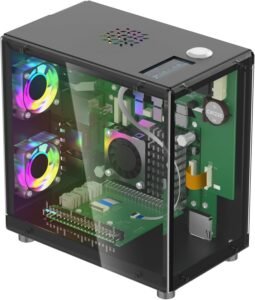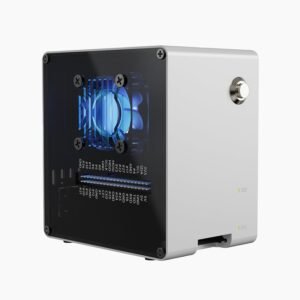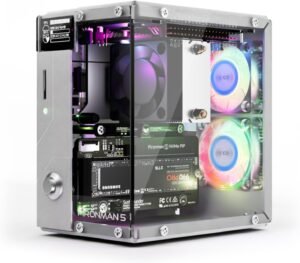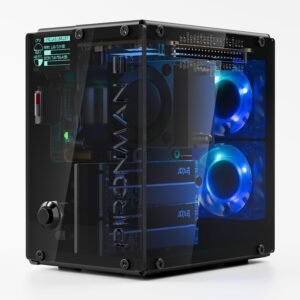
Pironman 5-MAX is a purpose-built Raspberry Pi 5 PCIe tower case aimed at high-I/O builds. It combines dual NVMe M.2 support (2230/2242/2260/2280) with a PCIe Gen2 switch that enables two PCIe devices from the Pi 5’s single lane. The design targets Raspberry Pi 5 NAS setups (RAID 0/1) and hybrid compute builds, with sustained-load cooling via a PWM tower cooler plus dual RGB fans. It also adds appliance-style features like a 0.96" OLED status display, a safe-shutdown metal power button, RTC support, and standard HDMI ports (Raspberry Pi 5 not included).
Key takeaways
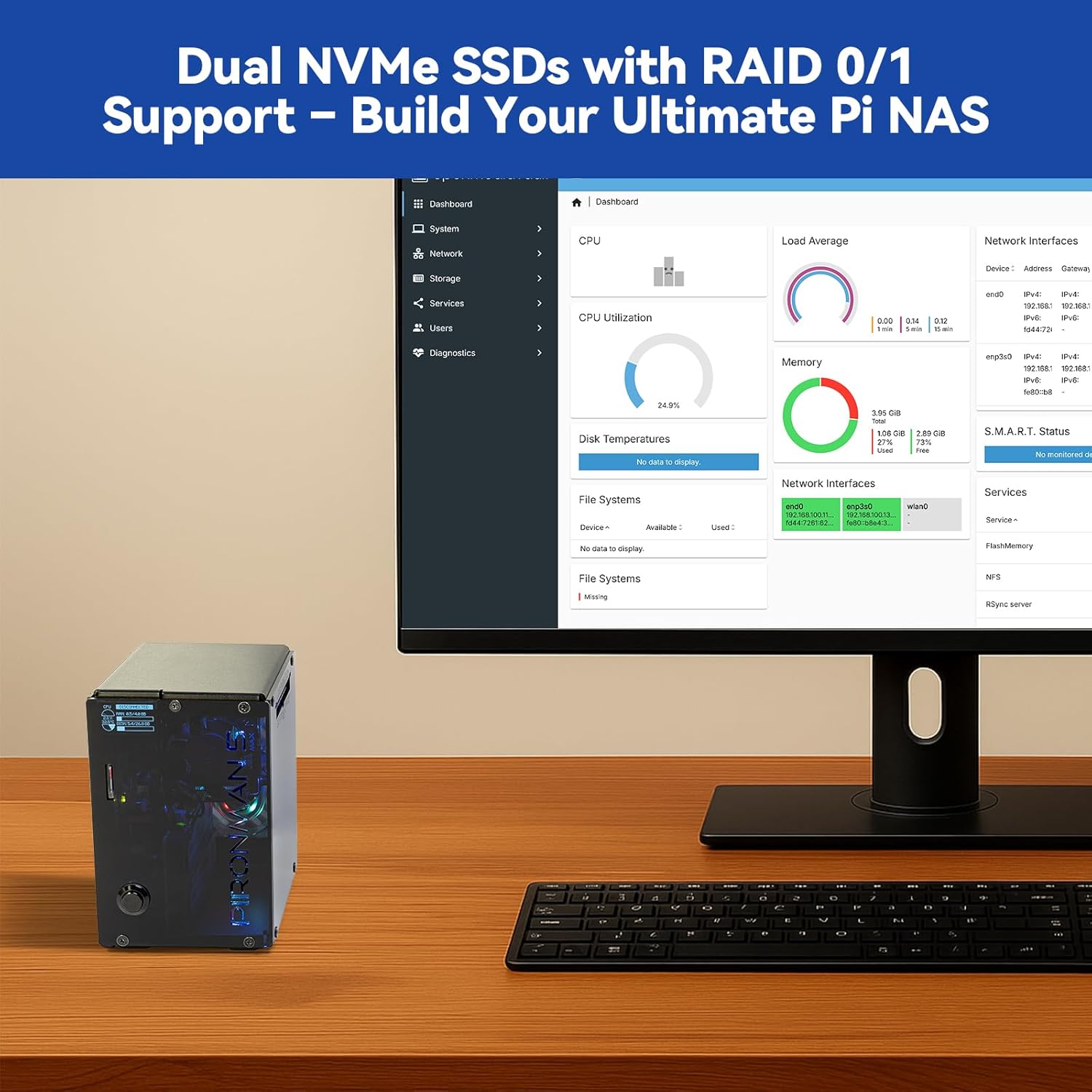
- Dual NVMe M.2 + PCIe Gen2 switch: Supports RAID 0 (speed) or RAID 1 (redundancy) for Raspberry Pi 5 NAS builds. RAID 1 fits data you care about; RAID 0 fits scratch or cache workloads.
- Flexible PCIe configurations: Run two SSDs or pair an SSD with a Hailo-8L M.2 AI accelerator for local inference with fast data/model loading.
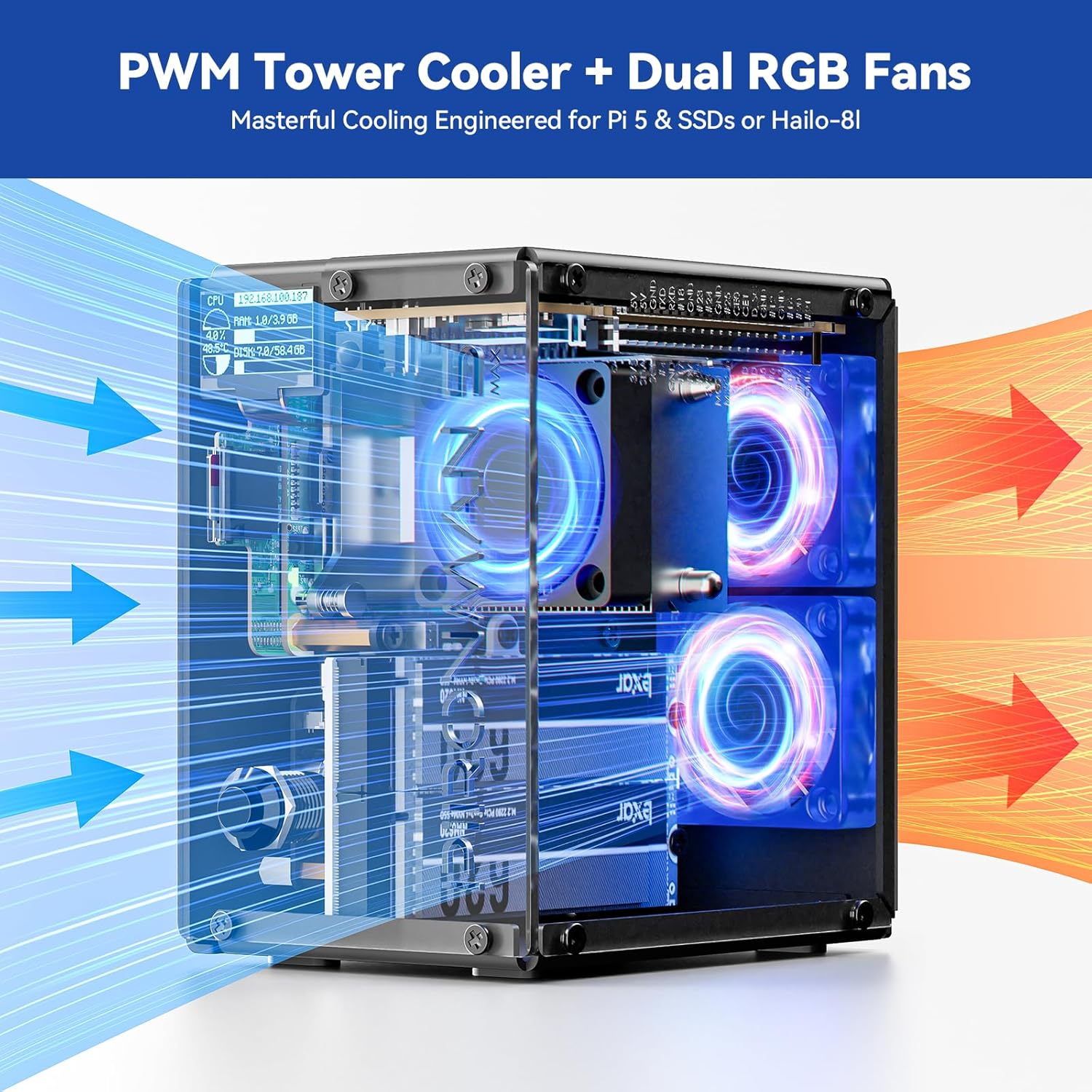
- Sustained performance cooling: A tower-style heatsink with a PWM-controlled primary fan plus dual RGB fans helps stabilize thermals during long jobs and heavy I/O.
- Integrated OLED telemetry: The 0.96" OLED provides quick stats (CPU, memory, temperature, IP, disk status), with tap-to-wake for at-a-glance checks.
- Practical server-like conveniences: Safe shutdown via the metal power button, RTC battery support for stable timekeeping, external GPIO extender access, and dual full-size HDMI—useful for labs, kiosks, and always-on services.
Designed for Serious Raspberry Pi 5 Builds
Pironman 5-MAX fits the kind of Raspberry Pi 5 build I don’t want to rebuild later. Dual NVMe M.2 slots support 2230, 2242, 2260, and 2280 drives, so I can choose fast scratch storage, larger capacity, or a mix. A built-in PCIe Gen2 switch matters here because it lets me run two PCIe devices from the Pi 5’s single PCIe lane without hacky workarounds.
Storage and accelerator options I actually use
I treat this enclosure like a baseplate for high-I/O rigs. Typical setups I’d run include:
- NAS focus: two NVMe SSDs for RAID 0 (speed) or RAID 1 (redundancy) on a Raspberry Pi 5 NAS build
- Hybrid compute: one NVMe SSD plus a Hailo-8L M.2 AI accelerator for local inference with fast model and dataset loading
- Dev workflow: one smaller 2230/2242 for OS and containers, plus a larger 2280 for bulk data
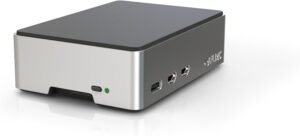
I keep thermals and cabling tidy by starting with a purpose-built PCIe case rather than piecing parts together; the overview helps me compare form factors quickly.
Check current pricing and availability at Amazon here!
Pironman 5-MAX Dual NVMe M.2 SSD PCIe PC Case for Raspberry Pi 5 NAS RAID 0/1 Hailo-8L AI Accelerator PWM Tower Cooler+Dual RGB Fans, 0.96″ OLED Module, Safe Shutdown, Standard HDMI(RPI5 Not Included)

This image is property of Amazon.com.
Cooling and Heavy-Load Stability
I treat cooling as the make-or-break feature for Raspberry Pi 5 builds that run sustained compiles, containers, or continuous I/O. This setup leans into that need with a tower-style heatsink, a PWM-controlled main fan, and two RGB fans that aim to move air across the Pi 5 and any heat-producing add-ons like dual NVMe drives or accelerators. I’ve found that a proper tower cooler helps hold clocks steadier under long loads, while PWM control keeps noise reasonable at idle and ramps airflow when temperatures climb.
Practical setup notes I rely on
Here are the checks I run before trusting it for heavy workloads:
- Verify the PWM fan spins at boot and responds to temperature changes in the OS fan curve.
- Route fan cables away from the fan blades and any sharp heatsink fins to prevent intermittent stalls.
- Confirm airflow direction: front-to-back or bottom-to-top, then match case vents to that path.
- Monitor NVMe temps during large transfers and add airflow if either drive heat-soaks.
- If a fan doesn’t work as expected, reseat the connector first, then test it on a known-good header.
I pair this style of cooling with clean storage layouts like the Argon ONE V3 NVMe PCIe case when I want tidy thermals plus fast disks.
Check current pricing and availability at Amazon here!
Pironman 5-MAX Dual NVMe M.2 SSD PCIe PC Case for Raspberry Pi 5 NAS RAID 0/1 Hailo-8L AI Accelerator PWM Tower Cooler+Dual RGB Fans, 0.96″ OLED Module, Safe Shutdown, Standard HDMI(RPI5 Not Included)
This image is property of Amazon.com.
0.96" OLED Status Display and Tap-to-Wake
A built-in 0.96" OLED screen gives me quick, real-time readouts without opening a terminal. I can glance at CPU usage, memory load, temperature, IP address, and disk status, then decide if I need a reboot, a fan profile change, or a workflow tweak. That small display turns a Pi into something that feels like a finished appliance, not a loose dev board.
Tap-to-wake polish that I actually use
Tap-to-wake via vibration keeps the front panel clean while still feeling responsive. I use it for:
- Silent status checks during troubleshooting
- Fast IP confirmation on headless setups
- Quick thermal verification after adding an NVMe upgrade like the Argon One V3 NVMe PCIe case for Raspberry Pi 5
Check current pricing and availability at Amazon here!
Pironman 5-MAX Dual NVMe M.2 SSD PCIe PC Case for Raspberry Pi 5 NAS RAID 0/1 Hailo-8L AI Accelerator PWM Tower Cooler+Dual RGB Fans, 0.96″ OLED Module, Safe Shutdown, Standard HDMI(RPI5 Not Included)
This image is property of Amazon.com.
Premium Build, Fit, and Lighting
The case delivers a mini‑PC look with dual transparent panels and tempered glass in clear or smoked finishes. I like how the fit stays tight, so the Raspberry Pi 5 doesn’t rattle or flex during cable swaps. Many owners describe the build as solid, and I’ve found the alignment feels precise around ports and fasteners, which makes assembly smoother and keeps the presentation clean. Internal RGB lighting sits at the center of the experience, and it reads as a true standout rather than an afterthought, especially through the glass.
For the full specs and options, I point people to the Argon ONE V3 NVMe PCIe case page. Check current pricing and availability at Amazon here!
Pironman 5-MAX Dual NVMe M.2 SSD PCIe PC Case for Raspberry Pi 5 NAS RAID 0/1 Hailo-8L AI Accelerator PWM Tower Cooler+Dual RGB Fans, 0.96″ OLED Module, Safe Shutdown, Standard HDMI(RPI5 Not Included)

This image is property of Amazon.com.
Everyday Convenience Features
I like cases that improve daily use without adding friction, and this one gets the details right. The metal power button feels solid and supports safe shutdown, so I can avoid SD or NVMe corruption from hard power cuts. Dual full-size HDMI ports keep cable swaps simple, especially on desk setups, and USB-C power stays clean and standard for Raspberry Pi 5 supplies.
RTC support is the sleeper feature here. The included RTC battery keeps time even after unplugging, which helps logs, automations, and certificates stay sane on always-on builds like Home Assistant. I also appreciate the external GPIO extender. It gives me access to pins without forcing the case open every time I want to add a HAT, jumper, or sensor lead.
How I actually use these extras
Here’s where the convenience shows up day to day:
- I press the power button for proper shutdown instead of yanking the cord.
- I run dual HDMI for a monitor plus a small status display when testing.
- I keep GPIO reachable for quick prototyping and fan control tweaks.
- I rely on RTC timekeeping after outages so services come back cleanly.
I pair these features nicely with the Argon One V3 NVMe case when I want fast storage and tidy wiring.
Check current pricing and availability at Amazon here!
Pironman 5-MAX Dual NVMe M.2 SSD PCIe PC Case for Raspberry Pi 5 NAS RAID 0/1 Hailo-8L AI Accelerator PWM Tower Cooler+Dual RGB Fans, 0.96″ OLED Module, Safe Shutdown, Standard HDMI(RPI5 Not Included)

This image is property of Amazon.com.
Assembly Experience
The feature set looks advanced, but I’ve found the build stays approachable if I follow the steps in order. Clear printed instructions do most of the heavy lifting, and the assembly video helps me confirm cable routing and standoff placement before I tighten anything down. That combo cuts rework and keeps the install moving.
What makes the build go smoothly
A few habits keep the process clean and predictable:
- I dry-fit the board, NVMe, and heatsink first, then pull it back apart once to confirm alignment and thermal pad contact.
- I sort screws by length in a small tray so I don’t mix case and board hardware.
- I tighten fasteners in a cross pattern and stop as soon as I feel resistance to avoid stripping.
- I run a quick power-on test before closing the case completely, so fixes stay easy.
Practical notes for Pi 5 + NVMe builds
Space gets tight with PCIe storage, so I plan the order: mount the NVMe and PCIe parts first, then route any fan or power leads. If I want a reference build path, I mirror the workflow shown on the Argon One V3 NVMe PCIe case page and apply it here. That approach keeps the final fit crisp and reduces cable strain.
Check current pricing and availability at Amazon here!
Pironman 5-MAX Dual NVMe M.2 SSD PCIe PC Case for Raspberry Pi 5 NAS RAID 0/1 Hailo-8L AI Accelerator PWM Tower Cooler+Dual RGB Fans, 0.96″ OLED Module, Safe Shutdown, Standard HDMI(RPI5 Not Included)
This image is property of Amazon.com.
Value and Potential Drawbacks
Value hinges on what I expect from a Raspberry Pi case. If I want dual M.2 storage with RAID options, strong thermals, and an on-device OLED readout, this product earns its price quickly. I also like that it keeps the build compact while feeling like a small server enclosure rather than a simple shell. For anyone building a fast Pi 5 NAS or a portable lab box, I see the spend as justified, especially compared to piecing together separate NVMe HATs, heatsinks, and display add-ons. I usually point people to the Argon ONE V3 NVMe case page to compare fit and intent before buying.
Where the tradeoffs show up
A few practical realities can reduce the value if my priorities differ:
- Price: it can feel steep if I only need basic protection and cooling.
- Fan behavior: I may run into occasional fan quirks, so I plan on tuning fan curves and confirming firmware and app settings early.
- Complexity overhead: dual drives and RAID add setup time, plus troubleshooting if a drive runs hot or draws too much power.
- Portability: extra hardware makes the build heavier and less “throw-in-a-bag” simple.
Check current pricing and availability at Amazon here!
Pironman 5-MAX Dual NVMe M.2 SSD PCIe PC Case for Raspberry Pi 5 NAS RAID 0/1 Hailo-8L AI Accelerator PWM Tower Cooler+Dual RGB Fans, 0.96″ OLED Module, Safe Shutdown, Standard HDMI(RPI5 Not Included)

This image is property of Amazon.com.
Disclosure: As an Amazon Associate, I earn from qualifying purchases.

From San Jose, California. Former IT support lead who has seen unspeakable things plugged into USB ports. Reviews electronics with zero patience for bad firmware.