The ASUS ROG Strix G18 (2025) comes across as a convincing desktop-replacement: a big, fast 18-inch panel paired with a high-core-count Ryzen 9 8940HX and an RTX 5050 that’s well-targeted for smooth, high-refresh 1080p gaming and responsive everyday work.
Key takeaways (clean summary)
- Display: The 18-inch FHD+ (16:10) 144Hz IPS/Nebula-style panel should provide clear motion, solid viewing angles, and extra vertical space for both games and productivity; the 3ms spec plus anti-glare ACR film should help with perceived clarity in fast scenes and bright rooms.
- Performance target: Ryzen 9 8940HX (16 cores, up to 5.3GHz) plus GeForce RTX 5050 8GB sits in a strong 1080p high-refresh lane; using DLSS 4 (where supported) is a smart way to lift FPS while keeping image quality competitive.
- Sustained output: ROG Intelligent Cooling (tri-fan design, full-width heatsink, surround vents) is specifically aimed at reducing thermal throttling, which matters more for long gaming sessions than short benchmarks.
- Everyday responsiveness: 16GB DDR5-5200 and a 1TB PCIe Gen4 SSD should keep Windows, multitasking, and game loads feeling quick.
- Main drawback: The stated 16GB max RAM is the standout limitation for long-term headroom, especially for heavier multitasking, content creation, or future game memory demands.
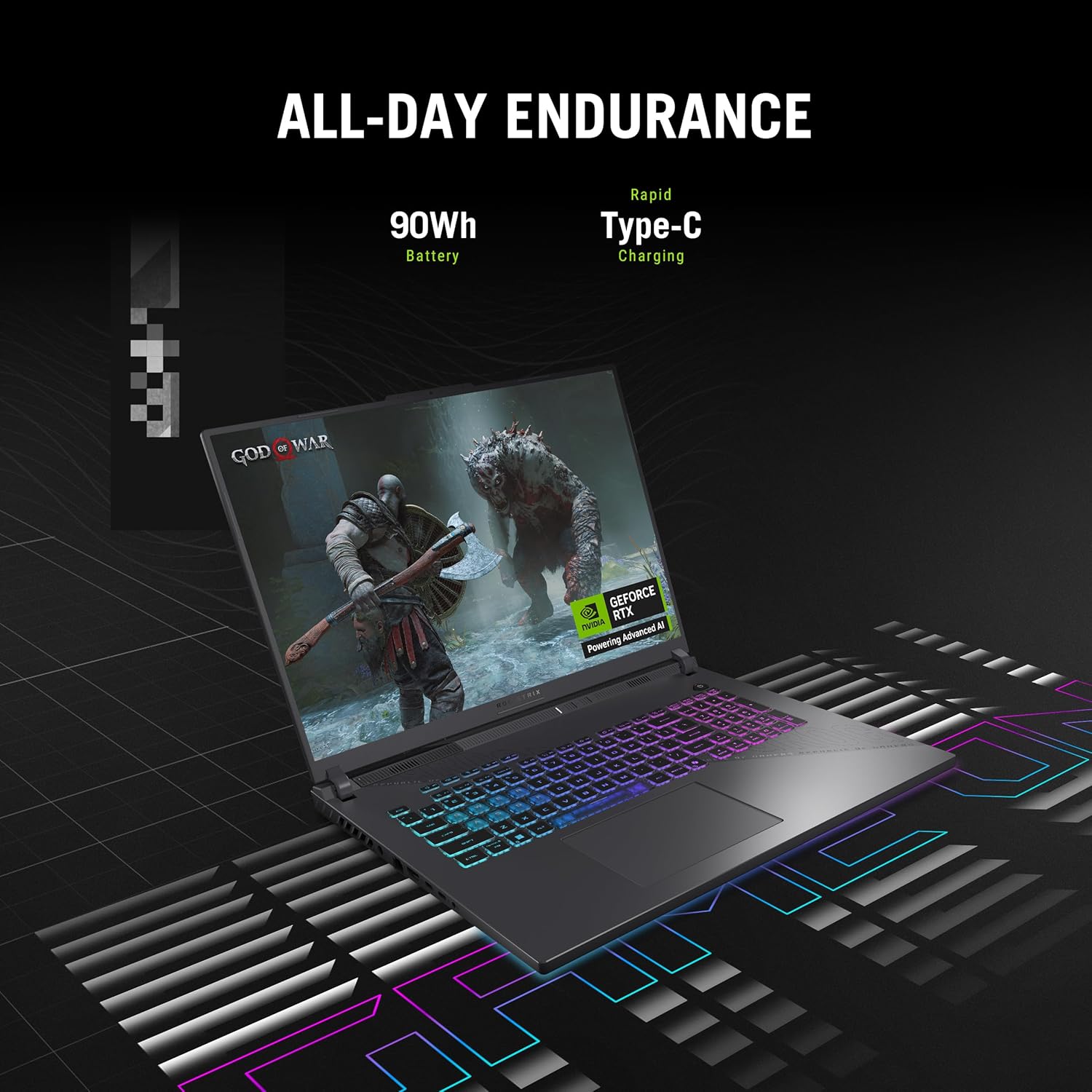
- Expected extras and tradeoffs: You still get the basics expected of a gaming laptop—Wi‑Fi 6E, backlit keyboard, Dolby Atmos, webcam, Aura lighting with Stealth Mode—with the usual portability compromises (6.61 lb; 90Wh battery is best for lighter tasks rather than sustained gaming).
What matters most in this specific configuration
The “desktop replacement” feel comes from the screen and thermals
An 18-inch chassis combined with a 144Hz panel is a big part of why this reads as a desktop substitute: you get a larger, more comfortable field of view, and the 16:10 aspect ratio helps for both timelines/documents and games with HUD space. The cooling emphasis is also crucial—steady clocks and consistent frame pacing are what make long sessions feel “desktop-like,” not just peak FPS.
The 16GB RAM cap is the one long-term question mark
For many games today, 16GB is workable, but a hard maximum can shorten the useful lifespan if your workload expands (heavier browser multitasking, mods, streaming, creative apps, or newer titles that prefer more memory). If the “16GB max” spec is accurate for this model, that’s the key constraint to weigh against otherwise solid, balanced components.
Big-Screen, Smooth-Play Desktop Replacement Feel
The ROG Strix G18 gives me that desktop replacement vibe without chaining me to a desk. The 18-inch FHD+ 16:10 panel (1920 x 1080) fills my view, and the 144Hz refresh rate with a 3ms response keeps motion clean in fast shooters and racers. I notice fewer smears on quick camera swings, so tracking targets feels easier and input reads sharper.
What I notice in real use
Here’s where the display specs turn into daily wins:
- IPS/Nebula panel keeps colors and viewing angles consistent when I shift position.
- ACR film cuts glare and boosts perceived contrast, which helps during long sessions.
- The 16:10 aspect ratio shows a bit more vertical space for maps, timelines, and multitasking.
Pairing it with a solid peripheral, like this ergonomic wireless mouse, makes it feel even closer to a full setup. Check current pricing and availability at Amazon here!
ASUS ROG Strix G18 (2025) Gaming Laptop, 18” ROG FHD+ 16:10 144Hz, NVIDIA® GeForce RTX™ 5050, AMD Ryzen™ 9 8940HX Mobile Processor, 16GB DDR5-5200Mhz, 1TB SSD, Wi-Fi 6E, Wind 11 Home

This image is property of Amazon.com.
Strong Real-World Performance for Gaming and Multitasking
I get snappy gameplay and fast app switching from the AMD Ryzen 9 8940HX (up to 5.3GHz, 16 cores) paired with the NVIDIA GeForce RTX 5050 (8GB). For 1080p, this combo hits a sweet spot, and user reports commonly describe games running with no lag. DLSS 4 helps push higher frame rates in supported titles, while Max-Q keeps power use in check so performance stays steady during long sessions.
I also like how the CPU’s core count keeps streams, voice chat, and background apps from dragging FPS down. For accessories that match the vibe, I’ll often pair it with a compact RGB keyboard on a desk setup. Check current pricing and availability at Amazon here!
ASUS ROG Strix G18 (2025) Gaming Laptop, 18” ROG FHD+ 16:10 144Hz, NVIDIA® GeForce RTX™ 5050, AMD Ryzen™ 9 8940HX Mobile Processor, 16GB DDR5-5200Mhz, 1TB SSD, Wi-Fi 6E, Wind 11 Home

This image is property of Amazon.com.
Thermals That Keep Performance Consistent
ROG Intelligent Cooling on the ASUS ROG Strix G18 focuses on repeatable FPS, not short bursts. I like the tri-fan layout paired with a full-width heatsink because it clears heat fast, which helps the CPU and GPU hold higher clocks instead of dropping into throttling. Full-surround vents also push hot air away from the keyboard deck, so long sessions feel steadier.
How I’d tune it for long sessions
I keep these habits to stay cool and consistent:
- Use a flat, hard surface to keep the intake unobstructed.
- Set Armoury Crate to a performance profile before launching a game.
- Give the rear vents a few inches of clearance for better exhaust flow.
For desk play, I often pair it with a wireless mouse to keep my hands off warmer areas.
Check current pricing and availability at Amazon here!
ASUS ROG Strix G18 (2025) Gaming Laptop, 18” ROG FHD+ 16:10 144Hz, NVIDIA® GeForce RTX™ 5050, AMD Ryzen™ 9 8940HX Mobile Processor, 16GB DDR5-5200Mhz, 1TB SSD, Wi-Fi 6E, Wind 11 Home

This image is property of Amazon.com.
Good Everyday Specs (But Note the RAM Ceiling)
This ASUS ROG Strix G18 configuration lands on a practical sweet spot for daily gaming, streaming, and content work. I like the baseline: 16GB DDR5-5200 keeps modern titles and multitasking smooth, while the 1TB PCIe Gen 4 SSD delivers fast boots, quick installs, and snappy load times. That storage size also means I can keep a few big AAA games and creative apps installed without instantly playing drive-jenga.
What I’d do with this setup
Here’s how I’d plan around the strengths and the one big limitation:
- Keep the SSD breathing room by offloading archives to an external drive, or pair it with a travel-friendly battery pack like this 300W power bank for on-the-go file dumps.
- Treat 16GB as the “forever” memory budget here, since the listed maximum RAM is 16GB. I’d skip this model if I know I’ll want 32GB+ later for heavy Adobe work, large Unreal projects, or big mod lists.
- Prioritize good peripherals instead of a RAM upgrade path; a comfortable pointer like an ergonomic wireless mouse can improve day-to-day use immediately.
Check current pricing and availability at Amazon here!
ASUS ROG Strix G18 (2025) Gaming Laptop, 18” ROG FHD+ 16:10 144Hz, NVIDIA® GeForce RTX™ 5050, AMD Ryzen™ 9 8940HX Mobile Processor, 16GB DDR5-5200Mhz, 1TB SSD, Wi-Fi 6E, Wind 11 Home

This image is property of Amazon.com.
Gamer-Focused Extras and Portability Tradeoffs
I like how the ROG Strix G18 stacks practical gaming extras without turning setup into a project. Wi‑Fi 6E keeps latency low on crowded networks, and the esports-ready backlit keyboard feels consistent in long sessions. Dolby Atmos audio adds space to shooters, while the webcam covers quick calls without hauling a separate camera. The Aura Light Bar helps set the vibe, and Stealth Mode lets me kill all lighting fast.
What I notice day to day
A few tradeoffs and wins show up quickly:
- At 6.61 lb, it behaves like a moveable desktop, not a commuter laptop.
- The 90Wh battery works best for light tasks; I pack the charger for gaming.
- For desk setups, I pair it with a wireless mouse.
Check current pricing and availability at Amazon here!
ASUS ROG Strix G18 (2025) Gaming Laptop, 18” ROG FHD+ 16:10 144Hz, NVIDIA® GeForce RTX™ 5050, AMD Ryzen™ 9 8940HX Mobile Processor, 16GB DDR5-5200Mhz, 1TB SSD, Wi-Fi 6E, Wind 11 Home
This image is property of Amazon.com.
Overall Impression (4.2-Star Class Product)
I see the ASUS ROG Strix G18 as a legit desktop-replacement option that hits a smart value point for 1080p play. The big 18-inch 144Hz panel gives games and multitasking room to breathe, and the CPU/GPU pairing feels well matched for high-refresh 1080p without constant compromises. Thermals also land where I want them for long sessions, so performance stays consistent instead of spiking and sagging after a few matches.
What stands out in daily use
A few points shape my recommendation:
- Screen experience: 18 inches at 144Hz makes motion look clean and keeps UI elements readable at a glance.
- Cooling behavior: steady fan-and-heat management helps maintain repeatable frame rates during extended play.
- Performance target: I’d treat this as a “sweet spot” 1080p machine first, then scale settings up based on the title.
- Main trade-off: the 16GB maximum RAM limitation can cap heavy creators, modded games, or future-proofing plans.
If I wanted a simpler living-room setup, I’d pair it with a PS5 console instead, but for portable power with a large display, this one fits.
Check current pricing and availability at Amazon here!
ASUS ROG Strix G18 (2025) Gaming Laptop, 18” ROG FHD+ 16:10 144Hz, NVIDIA® GeForce RTX™ 5050, AMD Ryzen™ 9 8940HX Mobile Processor, 16GB DDR5-5200Mhz, 1TB SSD, Wi-Fi 6E, Wind 11 Home
This image is property of Amazon.com.
Disclosure: As an Amazon Associate, I earn from qualifying purchases.

From San Jose, California. Former IT support lead who has seen unspeakable things plugged into USB ports. Reviews electronics with zero patience for bad firmware.