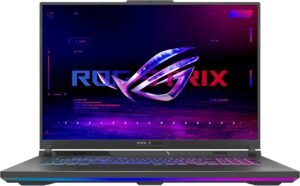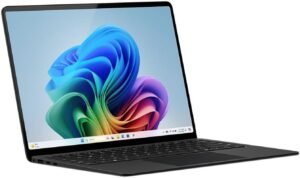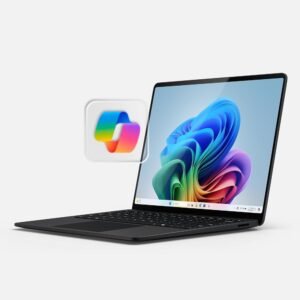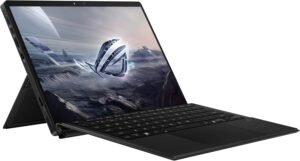
The ASUS ROG Flow Z13 (Off Black) positions itself as a premium, travel-ready 13.4-inch 2-in-1 gaming notebook, leaning on its 2.7 lb weight and 0.51" thickness for true ultra-portability, while the 2.5K 180Hz/3ms ROG Nebula touchscreen and highly adjustable 170° kickstand stand out as the biggest workflow wins for laptop, tablet, and drawing use.
Key takeaways
- Premium, compact convertible build with a 170° kickstand, stylus support, and an Off Black finish that does a better job hiding fingerprints
- 13.4" 16:10 IPS ROG Nebula touchscreen delivers 2560×1600 sharpness, 180Hz fluid motion, and 3ms response; glossy reflections can still get in the way
- PANTONE Validated panel with 100% DCI-P3 and up to 500 nits supports color-critical creation and holds up better in brighter rooms
- Ryzen AI MAX+ 395 with RDNA 3.5 integrated Radeon graphics aims for strong iGPU gaming and creator performance, plus up to 50 TOPS of NPU headroom for local AI tasks
- Wi‑Fi 7, Bluetooth 5.4, HDMI, and three USB ports improve day-to-day flexibility, while battery life and occasional sluggish reports vary a lot with power mode, refresh rate, and workload
Configuration snapshot
The combination of AMD Ryzen AI MAX+ 395 performance, NPU acceleration for on-device AI effects, 32GB LPDDR5X unified memory, and a 1TB SSD reads like a well-judged middle ground for 1080p-class gaming, creative workloads, and real Windows 11 Pro productivity in a compact 2-in-1.
Portable 2-in-1 That Feels Premium
The ROG Flow Z13 nails the premium, travel-ready vibe without feeling fragile. You get a sleek 13-inch-class chassis that slips into a small bag, yet it still reads like a serious gaming machine. At 2.7 lbs and a trim 0.51" thickness, it stays easy to carry between classes, flights, or client meetings. The Off Black finish looks clean and hides fingerprints better than many lighter coatings.
I also like how the 170° adjustable kickstand changes the whole workflow. You can set it upright for typing, low for drawing, or flat-ish for quick touch input, and it holds position without wobble. Windows 11 Pro keeps the experience a real PC for school apps, creative software, and game launchers, while stylus support makes note-taking and sketching feel natural.
How I get the best hybrid setup
A few quick habits make the laptop-to-tablet swap smoother:
- Dial in kickstand angle first, then connect accessories so cable tension doesn’t shift the stance.
- Use a stylus for lectures and markups, then switch to keyboard and mouse for longer edits.
- Add a compact USB-C hub in the bag to keep ports and charging simple on the go.
Check current pricing and availability at Amazon here!
ASUS ROG Flow Z13 2.5K 180Hz 3ms ROG Nebula Touchscreen 13.4″ Convertible 2-in-1 Gaming Notebook AMD Ryzen AI MAX+ 395 32GB RAM 1TB SSD Off Black

This image is property of Amazon.com.
Nebula Touchscreen for Gaming and Creation
I get a lot of value out of the ROG Flow Z13’s 13.4" 16:10 IPS touchscreen because it balances speed and color work without forcing tradeoffs. The 2560 x 1600 (2.5K) resolution keeps UI scaling comfortable while still looking crisp in games and creative apps. Motion stays clean thanks to the 180Hz refresh rate and 3ms response time, which helps fast camera pans and competitive play feel immediate.
What I notice in daily use
A few traits stand out the moment I start editing or gaming:
- Color work holds up well since the panel is PANTONE Validated with 100% DCI-P3 coverage, so grades and skin tones look consistent across apps.
- Outdoor and bright-room usability improves with up to 500 nits brightness, so I can still judge contrast without cranking everything to extremes.
- Touch input feels practical for quick timeline scrubs, zooming, and menu taps, especially in tablet mode.
- Glare can show up because of the glossy finish, so I aim for angled lighting or a slightly dimmer overhead setup.
If I want a complementary mouse for precision work, I pair it with a wireless ergonomic mouse.
Check current pricing and availability at Amazon here!
ASUS ROG Flow Z13 2.5K 180Hz 3ms ROG Nebula Touchscreen 13.4″ Convertible 2-in-1 Gaming Notebook AMD Ryzen AI MAX+ 395 32GB RAM 1TB SSD Off Black

This image is property of Amazon.com.
Big Performance in a Small Footprint (With AI Features)
I like how the ROG Flow Z13 keeps the system compact while still pushing serious compute. The AMD Ryzen AI MAX+ 395 brings 16 Zen 5 CPU cores, and the integrated Radeon graphics on RDNA 3.5 means I don’t need a discrete GPU to get strong 1080p-class gaming and creator performance in a tablet form factor. AI work fits naturally here too, thanks to up to 50 TOPS of NPU performance for tasks like local effects, background cleanup, and app acceleration without pegging the CPU.
How I’d configure it for real use
I focus on a few practical wins that show up every day:
- Memory: 32GB LPDDR5X at 8000MHz in quad-channel unified memory keeps multitasking smooth and helps the iGPU avoid bandwidth bottlenecks.
- Storage: A 1TB SSD gives me fast project loads and enough room for a solid game library, VMs, or large media caches.
- Thermals and sustained speed: I run heavier jobs plugged in and use a performance profile for longer exports or gaming sessions.
Check current pricing and availability at Amazon here!
ASUS ROG Flow Z13 2.5K 180Hz 3ms ROG Nebula Touchscreen 13.4″ Convertible 2-in-1 Gaming Notebook AMD Ryzen AI MAX+ 395 32GB RAM 1TB SSD Off Black

This image is property of Amazon.com.
Ports, Wireless, and Everyday Usability
Wi‑Fi 7 and Bluetooth 5.4 keep the ROG Flow Z13 snappy on crowded networks and reliable with modern headsets and controllers. I like the practical mix of physical I/O too: HDMI for a quick monitor hookup and three USB ports for charging, storage, and peripherals without living in dongle land. The backlit keyboard helps in low light, yet I’ve seen buyer feedback split on key feel and perceived build quality at this price tier.
What I do to make it feel “complete” day to day
I lean on a few add-ons and habits to smooth the experience:
- Use a compact USB‑C hub only when I need extra display or Ethernet.
- Pair a solid mouse like the MX Master 4 for longer sessions.
- Keep a high-output battery handy, such as an Anker Prime power bank, for travel.
Check current pricing and availability at Amazon here!
ASUS ROG Flow Z13 2.5K 180Hz 3ms ROG Nebula Touchscreen 13.4″ Convertible 2-in-1 Gaming Notebook AMD Ryzen AI MAX+ 395 32GB RAM 1TB SSD Off Black

This image is property of Amazon.com.
Battery Life and Value: Depends on Your Priorities
ASUS claims up to 10 hours, yet my expectation stays flexible because real use varies a lot. Light productivity can feel solid, while gaming and high refresh rates can drain fast. I also factor in reports of occasional unresponsiveness, since a tablet-first gaming PC needs to feel instant.
How I judge whether it’s “worth it”
I ground the purchase in a few practical checks:
- Power profile: I cap FPS and use balanced mode on battery.
- Use case fit: I pay the premium only if I’ll actually use the 2-in-1 tablet form.
- Carry kit: I plan for a charger or a high-watt power bank when traveling.
- Value mindset: I treat the build and gaming capability as the main justification, not battery life.
Check current pricing and availability at Amazon here!
ASUS ROG Flow Z13 2.5K 180Hz 3ms ROG Nebula Touchscreen 13.4″ Convertible 2-in-1 Gaming Notebook AMD Ryzen AI MAX+ 395 32GB RAM 1TB SSD Off Black

This image is property of Amazon.com.
Disclosure: As an Amazon Associate, I earn from qualifying purchases.

From San Jose, California. Former IT support lead who has seen unspeakable things plugged into USB ports. Reviews electronics with zero patience for bad firmware.