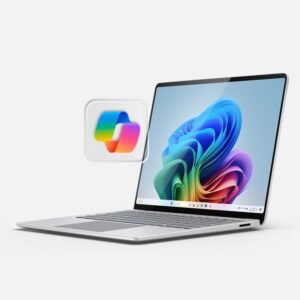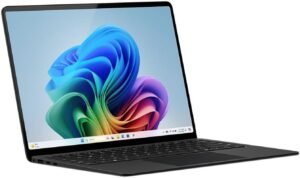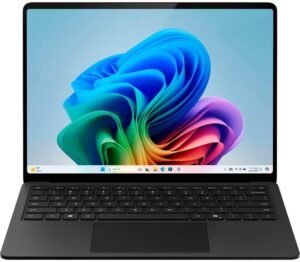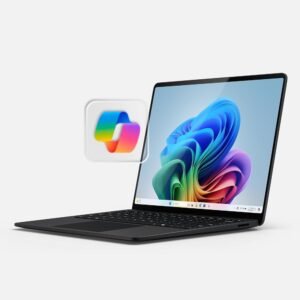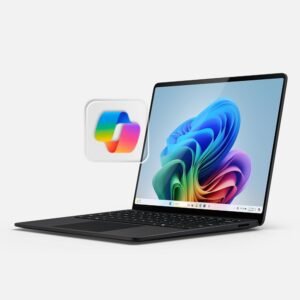
The Microsoft Surface Laptop (2024) in Black targets premium, on-the-go productivity, and it makes the most sense for people who want a light aluminum laptop, a smooth touchscreen, and Windows 11 Copilot+ positioning for on-device AI workflows. It also backs that pitch with real mobility hardware: a 2.96 lb build, a 13.8-inch PixelSense Flow display, and modern wireless—while keeping expectations realistic since some Copilot+ features will arrive via updates extending into late 2024–2025.
Key takeaways
- Premium thin-and-light design: Solid aluminum chassis at 2.96 lbs and 0.69-inch thin, plus a compact 11.85" x 8.67" footprint that’s easy for bags and small desks.
- Snappy everyday performance: Snapdragon X Plus (10-core), 16GB RAM, and 512GB SSD for quick boots and fast app launches; a strong daily-driver setup for multitasking.
- High-quality touchscreen: 13.8-inch PixelSense Flow with 2304 x 1536 sharpness, 120 Hz smoothness, and up to 600 nits brightness—well-suited for comfortable scrolling and bright-room usability.
- Copilot+ roadmap awareness: Emphasis on on-device AI for privacy and speed, with features like Recall tied to future Windows updates; plan around what ships today and treat later additions as a bonus.
- Practical extras for work setups: Wi‑Fi 7, Bluetooth 5.4, DisplayPort over USB‑C, a 3.5mm jack, Dolby Atmos speakers, and face recognition sign-in for easier docking, presenting, and jumping into calls.
Premium Thin-and-Light Design
I like how the Surface Laptop keeps things simple: a premium aluminum chassis in Black that feels solid in hand while staying easy to carry. At 2.96 lbs, it slips into my bag without feeling like a daily penalty, and it still looks professional on a conference table. The 11.85" x 8.67" footprint stays compact, and the 0.69" thickness makes it slide in and out of sleeves cleanly.
What I notice in everyday carry
In day-to-day use, a few details make the design feel practical, not precious:
- Bag-friendly size: 11.85" x 8.67" fits small backpacks and briefcases without wasted space.
- Thin profile: 0.69" helps it stack with notebooks and chargers without bulging the bag.
- Light weight: 2.96 lbs keeps commute load manageable, even with a full kit.
- Aluminum build: the chassis resists flex and helps the laptop keep its premium feel over time.
I usually pair a thin-and-light laptop with a comfortable mouse for longer sessions, like the ergonomic wireless mouse, to keep the setup clean.
Check current pricing and availability at Amazon here!
Microsoft Surface Laptop (2024), Windows 11 Copilot+ PC, 13.8″ Touchscreen Display, Snapdragon X Plus (10 core), 16GB RAM, 512GB SSD Storage, Black

This image is property of Amazon.com.
Performance and Hardware
The Snapdragon X Plus (10-core) chip, 16GB LPDDR5x RAM, and a 512GB SSD give this Surface Laptop a snappy feel in day-to-day use. I notice the storage helps the system boot quickly and keeps app launches crisp, while 16GB memory leaves room for lots of browser tabs, Office files, and background tools without constant slowdowns.
What real-world speed feels like
Here’s how I frame performance based on the feedback I’ve seen and the kind of work I expect from this setup:
- Common productivity stays quick: Customer feedback says Office apps open in about 1–2 seconds, which matches the instant-ready vibe people want for email, docs, and light multitasking.
- Mixed results show up under heavier loads: Some customers report great responsiveness, while others feel limits when workloads shift into sustained compute, large creative exports, or specialized apps.
- SSD capacity hits a practical middle: 512GB covers work files and a healthy app set, but I’d still plan a cleanup routine or external storage for big media libraries.
- Accessory pairing can raise comfort fast: A good mouse like this ergonomic wireless mouse makes long editing sessions feel smoother.
Check current pricing and availability at Amazon here!
Microsoft Surface Laptop (2024), Windows 11 Copilot+ PC, 13.8″ Touchscreen Display, Snapdragon X Plus (10 core), 16GB RAM, 512GB SSD Storage, Black

This image is property of Amazon.com.
13.8" PixelSense Flow Touchscreen Display
I get a clean, crisp view from the 13.8" PixelSense Flow touchscreen, and the 2304 x 1536 resolution keeps text looking sharp without forcing UI scaling games. Smooth scrolling stands out fast thanks to the 120 Hz refresh rate, which makes trackpad motion, pen strokes, and animation feel immediate instead of smeared.
How I’d use it day to day
For practical setup and better comfort, I stick to a few habits:
- I run 120 Hz for writing, spreadsheets, and creative work, then drop refresh rate on travel days to stretch battery.
- I set brightness based on task since up to 600 nits stays punchy for indoor offices and bright rooms.
- I use touch for quick edits and scrolling, while keeping keyboard and trackpad as the main controls for long sessions.
- I pair it with a good mouse when I’m in deep work mode; something like this ergonomic wireless mouse fits that workflow well.
The panel hits a nice balance: sharp enough for detailed documents, fluid enough to feel premium, and bright enough for most indoor use without constant squinting.
Check current pricing and availability at Amazon here!
Microsoft Surface Laptop (2024), Windows 11 Copilot+ PC, 13.8″ Touchscreen Display, Snapdragon X Plus (10 core), 16GB RAM, 512GB SSD Storage, Black

This image is property of Amazon.com.
Copilot+ PC and On-Device AI Features
This Surface Laptop runs Windows 11 Home and lands in the Copilot+ PC category, so I get AI experiences that run on-device for speed and privacy. A few marquee features depend on free updates Microsoft expects to roll out across late 2024–2025, so I treat them as a roadmap, not a guarantee for day-one use. Availability can vary by device and market, and language or storage limits may apply.
Practical Copilot+ experiences I can use (or plan for)
Here’s how I think about the headline features in real workflows:
- Windows Studio Effects: I can clean up calls with background blur, eye contact, and auto framing, which helps in Teams or Zoom-style meetings even in messy lighting.
- Live captions and translation: Real-time subtitles can translate 44 languages into English, which is great for international webinars and recorded interviews.
- Recall (coming soon): Microsoft lists Recall as arriving via a post-launch Windows Update, so I plan storage headroom and keep an eye on update notes before I rely on it.
For desk comfort during long AI-assisted sessions, I often pair it with a wireless ergonomic mouse.
Check current pricing and availability at Amazon here!
Microsoft Surface Laptop (2024), Windows 11 Copilot+ PC, 13.8″ Touchscreen Display, Snapdragon X Plus (10 core), 16GB RAM, 512GB SSD Storage, Black

This image is property of Amazon.com.
Battery Life and Charging Requirements
I plan around the rated up to 20 hours of battery life, but I expect swings with display brightness, video calls, and heavy browser sessions. For travel days, I pack the included 39W power supply for steady top-offs, then switch plans if I need speed.
What I use for faster charging
These are the charging rules I follow to hit fast charging from 5% to 80%:
- Bring a 65W+ USB-C PD charger, or a 65W Surface power supply (sold separately).
- Use a quality USB-C cable rated for 60W+ so the charger can deliver full power.
- Save the 39W brick for overnight or desk charging when time doesn’t matter.
I toss in a compact option like this high-watt power bank for emergencies.
Check current pricing and availability at Amazon here!
Microsoft Surface Laptop (2024), Windows 11 Copilot+ PC, 13.8″ Touchscreen Display, Snapdragon X Plus (10 core), 16GB RAM, 512GB SSD Storage, Black

This image is property of Amazon.com.
Connectivity, Audio, and Everyday Extras
I like how this Surface Laptop keeps daily setup simple while still covering the essentials. Wi‑Fi 7 and Bluetooth 5.4 make wireless connections feel quick and stable, especially with modern routers and earbuds. For wired gear, I get three total USB ports, plus DisplayPort over USB‑C for clean external monitor support. A 3.5 mm headphone/mic jack stays on board, which saves me from hunting for adapters during calls.
What I use these extras for
Here’s how these features tend to pay off in real routines:
- Fast desk docking: I run power, data, and DisplayPort over USB‑C to drive a monitor with fewer cables.
- Cleaner meetings: Omnisonic speakers with Dolby Atmos give clearer dialog without needing a speakerphone.
- Quick privacy-friendly access: Face recognition speeds sign-in, so I can open the lid and get moving immediately.
- Reliable peripherals: Bluetooth 5.4 helps keep mice and headphones steady; I often pair it with a productivity pick like this ergonomic wireless mouse.
Check current pricing and availability at Amazon here!
Microsoft Surface Laptop (2024), Windows 11 Copilot+ PC, 13.8″ Touchscreen Display, Snapdragon X Plus (10 core), 16GB RAM, 512GB SSD Storage, Black

This image is property of Amazon.com.
Who It’s Best For
This Surface Laptop fits business and productivity buyers who want a premium Windows ultrabook that feels polished in meetings and fast in daily flow. I like it for anyone who lives in Office apps, web research, PDFs, Teams calls, and light creative work, and wants a responsive touchscreen for quick edits, scrolling, and marking up documents.
Copilot+ positioning also makes sense for forward-looking buyers who want hardware that’s ready for Microsoft’s next wave of on-device AI. I’d still plan with care, since some AI capabilities can arrive later through software updates, and I don’t count on unreleased features for purchase-critical workflows.
Work styles this laptop matches
Here’s where I see the best fit:
- Consultants, analysts, and managers who need a clean, premium Windows machine for presentations and multitasking.
- Students and knowledge workers who prefer touch for reading, annotation, and quick UI interactions.
- Remote and hybrid staff who want a thin, quiet daily driver that looks and feels like a flagship.
- Buyers comparing accessories, since pairing it with a strong mouse can sharpen productivity; I often reference options like this ergonomic wireless mouse.
Check current pricing and availability at Amazon here!
Disclosure: As an Amazon Associate, I earn from qualifying purchases.

From San Jose, California. Former IT support lead who has seen unspeakable things plugged into USB ports. Reviews electronics with zero patience for bad firmware.