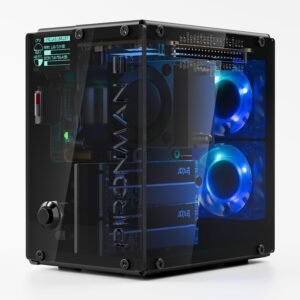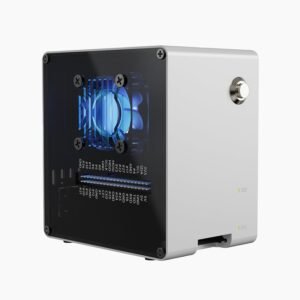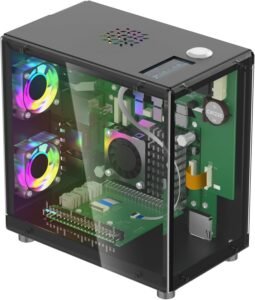
Elecrow’s Pitower Gen 1 turns a Raspberry Pi 5 into a compact mini-tower desktop-style build, combining a premium aluminum/acrylic enclosure, full access to ports and GPIO, and an always-visible 1.3" OLED for quick checks like temperature and IP address.
Overview
This kit targets sustained, heavier workloads such as compiles, Docker, and NVMe I/O. It pairs PCIe M.2 NVMe support (2230/2242/2260/2280) with a triple-fan cooling layout and a built-in RTC. Assembly takes more time than simpler cases, and you should expect some tuning for cables and fan behavior.
Key takeaways
- Premium mini-tower desk aesthetic with a compact 2.8 x 4.7 x 4.7 in footprint and a solid aluminum/acrylic feel
- Triple-fan cooling aims to keep Raspberry Pi 5 clocks stable during long, high-load sessions, though you may hear fan noise
- Integrated PCIe M.2 NVMe expansion supports 2230/2242/2260/2280 drives for faster boot and app performance, and it helps cut microSD wear
- 1.3" OLED status screen gives at-a-glance CPU usage, temperature, and IP address for easier monitoring and troubleshooting
- Built-in RTC plus full port and GPIO access fits daily use well, but setup adds software steps and you’ll want careful cable routing and fan tuning
Premium Mini-Tower Desk Design
This Elecrow Pitower Gen 1 nails a premium mini-tower look that sits cleanly on a desk. I like the compact footprint at 2.8 x 4.7 x 4.7 inches, since it reads like a tiny desktop PC instead of a hobby box. The aluminum/acrylic build adds a crisp “real PC” aesthetic, and the mini fish-tank vibe stands out without looking flashy. It also feels solid in hand for its size, coming in at about 14.1 oz (14.08 oz listed).
How I’d choose it vs other desk cases
I use these checkpoints:
- Pick this for a premium tower look and weighty feel.
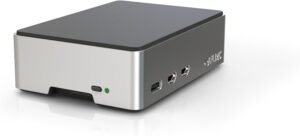
- Go smaller and minimalist with the Flirc case.
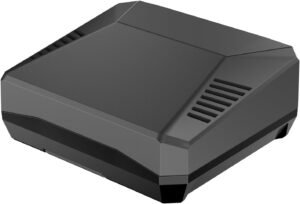
- Choose NVMe-first builds like Argon One V3 NVMe or the Pironman 5 NVMe.
- Scale into NAS with Pironman 5 Max or AI focus via Pironman 5 Mini.
Check current pricing and availability at Amazon here!
Elecrow Mini PC Case for Raspberry Pi 5: Aluminum Case with 3 Cooling Fans, 1.3″ OLED Display, PCIe M.2 NVMe SSD 2230/2242/2260/2280 Support, RTC, Full Port Access, Compact (Pitower Gen 1)
This image is property of Amazon.com.
Cooling for Heavier Raspberry Pi 5 Workloads
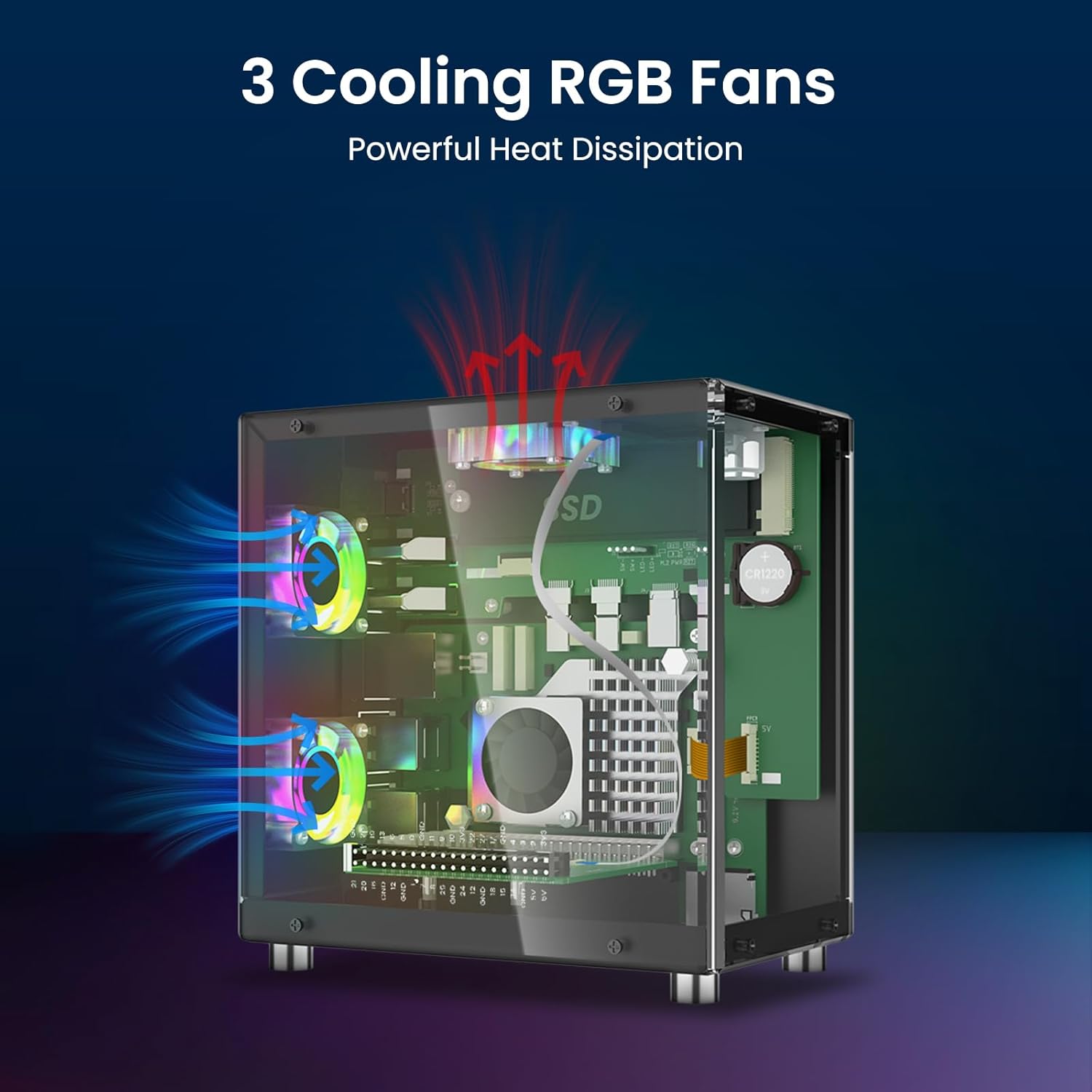
I run sustained Pi 5 loads like compiles, Docker stacks, and NVMe I/O, so I prioritise stable thermals. This case’s triple-fan setup (3 fans) moves a lot of air and helps keep clocks consistent under long sessions. Noise-reduction features help, yet I still budget for an audible fan tone if I’m building for a quiet desk.
How I tune it in practice
I usually do a quick setup pass:
- Set a fan curve that ramps after light loads to avoid constant whoosh.
- Keep cable runs clear so airflow stays direct over the SoC and SSD.
- If silence matters most, I pick a passive option like the FLIRC case.
For NVMe-heavy builds, I also consider the Argon One V3 NVMe case. Check current pricing and availability at Amazon here!
Elecrow Mini PC Case for Raspberry Pi 5: Aluminum Case with 3 Cooling Fans, 1.3″ OLED Display, PCIe M.2 NVMe SSD 2230/2242/2260/2280 Support, RTC, Full Port Access, Compact (Pitower Gen 1)
This image is property of Amazon.com.
1.3" OLED Status Screen for Everyday Monitoring
A built-in 1.3" OLED status screen adds real day-to-day value because I can glance at live system info without opening a terminal. I use it as a quick health check during updates, long compiles, and server uptime, since it can show CPU usage, temperature, and the current IP address at a glance. That saves time when I’m hopping between projects or troubleshooting a flaky network.
How I set it up and get the most from it
I install the required software once, then I treat the display like an always-on dashboard. These habits keep it useful:
I confirm the IP line updates after reboots, so I don’t waste time scanning the network.
I watch temperature during sustained loads, then adjust cooling or fan curves when it trends high.
I keep the layout simple so key stats stay readable from a desk distance.
I pair the screen with a case that matches my use case, like the Pironman 5 NVMe case, the Pironman 5 Mini, the Pironman 5 Max, the Argon One V3, or the simpler Flirc case.
Check current pricing and availability at Amazon here!
Elecrow Mini PC Case for Raspberry Pi 5: Aluminum Case with 3 Cooling Fans, 1.3″ OLED Display, PCIe M.2 NVMe SSD 2230/2242/2260/2280 Support, RTC, Full Port Access, Compact (Pitower Gen 1)

This image is property of Amazon.com.
Integrated NVMe Expansion (PCIe M.2)
I count PCIe M.2 NVMe support as the Pi 5’s practical leap for power users. I can boot faster, keep apps snappy, and avoid microSD wear, all while staying compact. I also like the flexibility of 2230, 2242, 2260, and 2280 drives, since it lets me reuse what I already own or pick the best price-per-GB.
How I keep the build clean
I lean on cases that route PCIe neatly and manage heat well, such as the Argon One V3 NVMe case or the Pironman 5 NVMe case. For NAS-style storage, I step up to the Pironman 5 Max.
Check current pricing and availability at Amazon here!
Elecrow Mini PC Case for Raspberry Pi 5: Aluminum Case with 3 Cooling Fans, 1.3″ OLED Display, PCIe M.2 NVMe SSD 2230/2242/2260/2280 Support, RTC, Full Port Access, Compact (Pitower Gen 1)

This image is property of Amazon.com.
Ports, GPIO Access, and Built-In RTC
I like cases that don’t force tradeoffs. This enclosure keeps the core I/O where I need it, so daily use stays simple even after I add storage, HATs, or a camera. USB, HDMI, and Ethernet remain fully reachable, and I can still get to the GPIO header without doing awkward disassembly. That makes quick pin checks, jumper swaps, and HAT installs feel like normal bench work, not a teardown.
RTC usefulness and setup tips
The built-in RTC helps me keep accurate time after shutdowns, which matters for offline logging, scheduled tasks, and any project that can’t count on NTP. I treat the RTC as part of my bring-up checklist, along with airflow and cable clearance. Here’s how I avoid avoidable hiccups during installation:
I keep these steps in mind before I close the case:
- Route ribbon cables first, then seat the Pi, then tighten fasteners so ports stay aligned.
- Verify the GPIO opening lines up before I commit to heatsink or fan positions.
- Enable and validate RTC in software early, so time stays correct after a full power pull.
- Follow the updated user manual closely (bit.ly/4pYHMhi) to prevent rework.
For alternative builds, I pair storage-heavy setups with the Pironman 5 Max dual NVMe NAS case or keep it minimal with the FLIRC case for Raspberry Pi 5.
https://www.amazon.com/dp/B0FZK2DTQZ?tag=sundayhike3f-20
Elecrow Mini PC Case for Raspberry Pi 5: Aluminum Case with 3 Cooling Fans, 1.3″ OLED Display, PCIe M.2 NVMe SSD 2230/2242/2260/2280 Support, RTC, Full Port Access, Compact (Pitower Gen 1)

This image is property of Amazon.com.
What Limits It to 4 Stars
The hardware lands in power-user case territory, so I can’t call setup quick. Assembly takes longer than simple shells, and the OLED plus front controls add a software step that I need to get right before everything feels polished. A straightforward passive option like the Flirc case usually wins on time-to-first-boot, even if it gives up features.
Extra setup and extra moving parts
A desktop-style enclosure with multiple fans can also raise the hassle factor. I’ve found a few consistent friction points worth planning for, especially if I’m comparing it to simpler NVMe builds like the Argon ONE V3 NVMe case or feature-heavy builds like the Pironman 5 NVMe case. Here’s what usually costs time:
Setup tends to slow down in these areas:
- OLED/controls: driver install, service setup, and validating the display mappings
- Fan curves: dialing in a curve that keeps temps low without audible ramping
- Cable routing: tighter internal runs increase the chance of pinched headers
- Noise risk: more fans mean more potential for vibration or bearing hum over time
I like the performance, yet these friction points keep it from a clean 5-star score.
Check current pricing and availability at Amazon here!
Elecrow Mini PC Case for Raspberry Pi 5: Aluminum Case with 3 Cooling Fans, 1.3″ OLED Display, PCIe M.2 NVMe SSD 2230/2242/2260/2280 Support, RTC, Full Port Access, Compact (Pitower Gen 1)
This image is property of Amazon.com.
Disclosure: As an Amazon Associate, I earn from qualifying purchases.

From San Jose, California. Former IT support lead who has seen unspeakable things plugged into USB ports. Reviews electronics with zero patience for bad firmware.